
MonsterInsights Phishing Incident: The WordPress Supply-Chain Wake‑Up Call (And The Security Playbook SMEs Actually Need)
A major WordPress analytics plugin brand warned users about an active phishing campaign after its website was taken offline to mitigate an attack. Here’s what changed, why it matters to SMEs and agencies, and the practical steps to reduce risk—without freezing marketing execution.

By Marius Dosinescu (AYSA.ai)
A popular WordPress analytics plugin brand publicly warned customers about an active phishing attempt after taking its website offline to mitigate an attack. The story was first reported by Search Engine Journal.
This is not just “WordPress drama.” It’s a clean example of how modern compromises actually hurt small and mid-sized businesses: through trust. Attackers don’t always need to break into your site. If they can hijack the distribution and communication channels around the software you already trust—websites, emails, “download here” prompts—they can get you to install the malware for them.
And in 2026, the second-order effect is bigger than security alone: when your analytics stack is in question, your Attribution breaks, campaigns get paused, teams stop deploying site changes, and growth stalls. That’s why this incident matters to SEO, paid media, and every operator responsible for revenue.
Concise Summary
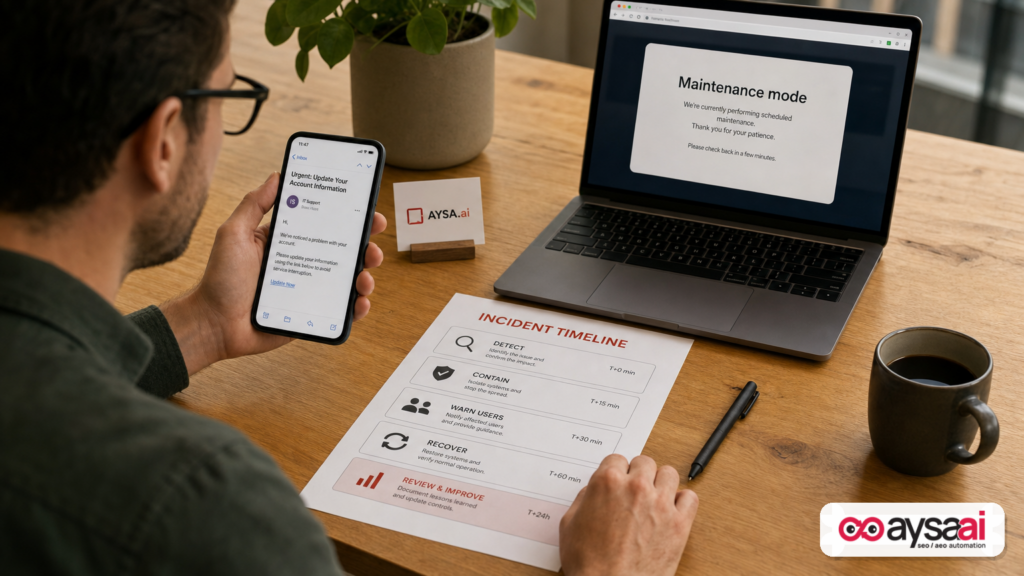
A major WordPress plugin brand reported its website was taken offline while mitigating an attack and warned users about phishing emails and downloading from third-party sources. Even if the plugin itself isn’t compromised, attackers can exploit the vendor’s brand and customer list to push fake updates, steal credentials, or trick teams into installing malicious code. SMEs and agencies need a practical “verify-first” update process, strong admin controls, and Monitoring that keeps execution moving without letting urgency override approvals.
Key Takeaways (Read This If You’re Busy)
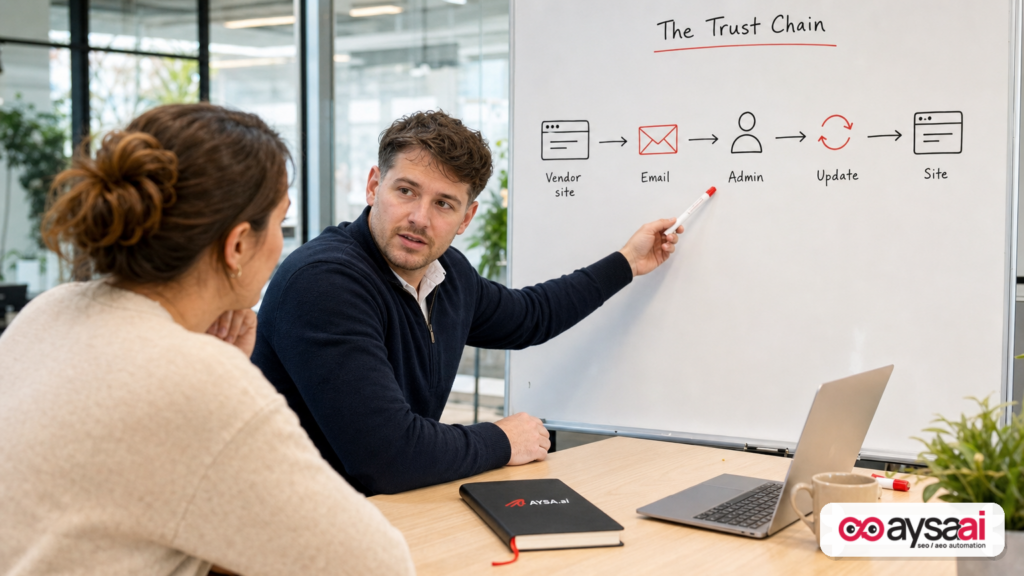
- Brand compromise can be as dangerous as code compromise. If users trust a name, attackers can weaponize that trust through email and downloads.
- Phishing + WordPress admin access = compounding damage. Once credentials are stolen, attackers can add new admins, inject scripts, or alter payments and forms.
- “Download from somewhere else” is the red flag. When a vendor says “don’t download from third parties,” treat every inbound email as hostile until verified.
- Downtime isn’t the only cost—decision paralysis is. Teams stop shipping changes, marketing loses momentum, and revenue impact shows up weeks later.
- Approved Execution beats panic execution. You need fast response and a system that prevents rushed, irreversible Clicks.
Table of Contents
- What Happened With MonsterInsights (And What We Can—and Can’t—Assume)
- Why This Matters More Than “One Plugin Site Got Hacked”
- How Plugin-Related Phishing Actually Works (In Plain English)
- Who’s Most At Risk: SMEs, Agencies, And Multi-Site Operators
- The WordPress Attack Surface: Where Phishing Turns Into Site Takeover
- The Analytics Angle: Why GA Tracking Anxiety Creates Marketing Chaos
- The Practical SME Scenario: A Local Clinic With Two Admins And Zero Time
- Agency Reality: One Bad Click Can Spread Across 30 Client Sites
- An Operational Playbook: Contain, Verify, Communicate, Recover
- Prevention That Doesn’t Kill Velocity: The “Verify-First” Update Process
- Where AYSA Fits: Monitoring + Approved Execution For WordPress SEO Teams
- What To Do Next (Action List)
- Sources And Further Reading
What Happened With MonsterInsights (And What We Can—and Can’t—Assume)
According to Search Engine Journal’s report, the MonsterInsights website displayed a notice stating it was offline while mitigating an attack and warned users not to download the plugin from any third-party website due to an active phishing attempt. The report also described users posting on social platforms that they received phishing emails appearing to originate from the brand, and it noted the vendor’s public warning message.
Let’s be disciplined about what this means:
- We can say: The vendor publicly acknowledged an attack, took the site offline, and warned about phishing and third-party downloads.
- We can’t responsibly claim (from the provided source alone): exactly how attackers gained access, whether customer data was exfiltrated, whether the plugin code was modified, or what systems were impacted beyond the website and email channel.
That distinction matters because the remediation plan is different depending on what was compromised. But for most businesses reading this, the key risk is the same either way: your team might be tricked into installing something dangerous or handing over credentials while “trying to fix it.”
If you operate a WordPress site, this is the kind of event you should treat as a live-fire drill for your own processes.
Why This Matters More Than “One Plugin Site Got Hacked”
Most SMEs still think of cybersecurity as a binary: either your site got hacked or it didn’t. Modern incidents don’t work like that.
What we’re looking at here is a supply-chain trust problem—not necessarily in the strict technical sense of code supply chain (like a malicious package in a repository), but in the operational sense: people update software because they trust the vendor. Attackers target that trust because it scales.
Here’s why the blast radius can be large even when the “main product” is fine:
- Email is a distribution system. If attackers can send believable messages to customers, they can push fake updates, fake license renewals, or credential capture pages.
- “Urgent security update” overrides judgment. Teams click quickly because they fear being vulnerable—ironically making themselves vulnerable.
- WordPress admins have powerful permissions. A single stolen admin login can lead to plugin installs, script injection, redirect spam, and backdoors.
- Marketing operations depend on trust. When a tool used for analytics and tracking is questioned, teams pause campaigns, stop changes, and lose weeks.
This is the hidden cost: not just remediation time, but lost execution.
At AYSA.ai, we think about SEO and growth as an execution system—monitor, prepare, ask for approval, then ship changes. Incidents like this expose which organizations have that discipline, and which ones rely on “whoever clicks the email first.”
How Plugin-Related Phishing Actually Works (In Plain English)
Phishing in the WordPress ecosystem typically succeeds because it imitates normal, routine workflows:
Pattern 1: The “Download the Updated Plugin Here” Trap
You get an email that looks like a vendor announcement: “Important security update. Download the latest version here.” The link goes to a non-official site that hosts a ZIP file. When installed, that ZIP can do anything: create an admin user, inject spam links, add a credit-card skimmer, or open a backdoor.
In the MonsterInsights case, the vendor’s notice explicitly warned users not to download from third parties, which strongly suggests attackers were trying to get users to do exactly that.
Pattern 2: The “Verify Your Account / License” Credential Harvest
The email pushes you to a login page that resembles the vendor’s site. You enter credentials, and attackers now have:
- Your vendor account login (where license keys, billing, and downloads may live)
- Potentially your WordPress admin login if you reused passwords
- Often your email account access if you fall for a second step
Pattern 3: The “Support Ticket” Imposter
Attackers impersonate support, asking you to “install this helper plugin” or “add this DNS record” to restore service. This is especially effective during outages, when teams are desperate to get back online.
Why It Works (Even For Smart Teams)
- Contextual plausibility: the vendor actually has an incident, so the email feels timely.
- High trust baseline: you already use the plugin.
- Operational pressure: marketing and reporting depend on it.
- WordPress convenience culture: admins are used to “just install the plugin.”
The lesson isn’t “be more careful.” The lesson is: make it hard to do the wrong thing quickly.
Who’s Most At Risk: SMEs, Agencies, And Multi-Site Operators
Everyone is exposed, but three groups are structurally more vulnerable.
1) SMEs With Shared Logins
Small teams often share a single WordPress admin account or reuse passwords across vendors. That means a single phishing success becomes full control, not “one person’s account.”
2) Agencies Managing Many WordPress Installs
If your agency maintains dozens of client sites, your team’s inbox becomes the attack surface. One staff member installs a “hotfix” plugin from a third-party link, and suddenly multiple client environments are at risk—especially if you standardize plugins and processes across sites (which you should, for efficiency).
3) Multi-Location Brands With Distributed Access
Franchise or multi-location businesses often have decentralized marketing help: local managers, contractors, part-time assistants. More accounts + inconsistent training = higher chance someone clicks the wrong link.
Operationally, the fix is the same across all three: reduce who can install plugins and require approvals for site changes.
The WordPress Attack Surface: Where Phishing Turns Into Site Takeover
WordPress is popular because it’s flexible. That flexibility is also why an attacker with admin access can cause real harm quickly.
Here’s what phishing-driven access can lead to in practical terms:
Installing A Malicious Plugin Or Theme
This is the obvious one. A plugin can execute PHP on your server, add scheduled tasks, and modify files. Even if you remove it later, you may miss the persistence mechanism it left behind.
Injecting Script Into Headers Or Templates
Attackers can add JavaScript that:
- Redirects users to spam pages
- Injects unwanted ads
- Steals form submissions (leads, passwords, checkout details)
SEO Spam And Reputation Damage
Even if you don’t “see” the hack, Google might. Auto-generated spam pages, hacked redirects, and Cloaking are classic results. Recovering can take time because you’re rebuilding trust with users and systems.
Adding New Admin Users
Attackers often create a second admin account so they can come back later. If you only reset the compromised password but don’t audit users, you’re leaving the door open.
Targeting Checkout, Donations, And Forms
Ecommerce stores and lead-gen sites are especially exposed because a small change to checkout or forms can redirect payments or siphon customer information.
None of this requires advanced exploits if an attacker gets admin access by phishing. That’s why “don’t click the download link” is not a minor warning—it’s existential.
The Analytics Angle: Why GA Tracking Anxiety Creates Marketing Chaos
The MonsterInsights plugin is widely known as a bridge between WordPress and Google Analytics, making tracking easier for non-technical teams. When a tool like that becomes the center of a phishing campaign, the immediate business question is not “what is the CVE?” It’s:
- Is my tracking safe?
- Is my data reliable?
- Do I need to pause campaigns?
- Are my conversion numbers real?
This is where incidents become growth incidents.
Even if your analytics data isn’t compromised, the fear of compromise causes operational shutdowns:
- Teams stop pushing website changes (“don’t touch anything until it’s resolved”).
- Leadership pauses spend (“we can’t trust attribution”).
- Agencies delay optimizations (“we don’t want to break tracking”).
When you stop executing, you fall behind. In competitive markets, that’s the real compounding cost.
From an AYSA point of view, this is exactly why we treat SEO/AEO/GEO as a system, not a checklist. If your workflow includes monitoring and approved execution, you can keep shipping safe improvements even during uncertainty—because you know what changed, why, and who approved it.
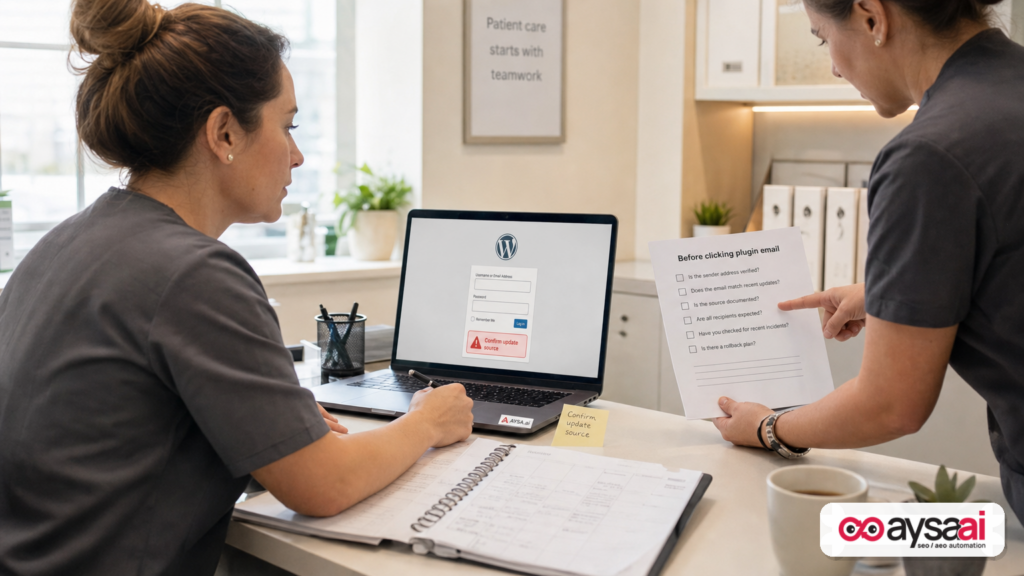
The Practical SME Scenario: A Local Clinic With Two Admins And Zero Time
Let’s make this real.
You run a local clinic. Your website does three things:
- Gets appointment requests
- Ranks for “urgent care near me” and local services
- Tracks calls and form submissions to measure marketing ROI
You have:
- One operations manager who also posts updates to the website
- One outsourced IT person who “checks WordPress sometimes”
On a Thursday morning, the ops manager receives an email: “Security incident—download patched plugin now.” The vendor site is down, and the email provides a “backup download link.”
Here are the two paths:
The Bad Path (What Usually Happens)
- Ops manager installs the ZIP.
- A new admin user is created silently.
- Form submissions start getting forwarded to a third party.
- Two weeks later: patients complain, leads drop, reputation takes a hit.
The Good Path (What Your Process Should Force)
- No one installs plugins from email links, ever.
- Only one person (or role) can install plugins; they require a second approval.
- You verify updates through official channels (WordPress admin repository, verified vendor account, or a known-good bookmark).
- You temporarily pause plugin updates if the vendor explicitly warns of phishing.
This “good path” is not about being paranoid. It’s about building a default workflow where panic can’t override safety.
Agency Reality: One Bad Click Can Spread Across 30 Client Sites
If you run an agency, your risk is multiplied by your efficiency.
Agencies standardize stacks:
- Same analytics plugin across clients
- Same performance plugins
- Same login manager practices (hopefully)
- Same update cadence
That’s good business. But it creates a single point of failure: the agency becomes the distribution mechanism.
When a vendor incident occurs, many agencies do the worst possible thing: they “rush patch” across all clients because they fear being blamed. But if the patch source is compromised, you’ve just deployed malware to your entire portfolio.
Agencies need an SOP that explicitly says:
- Stop: freeze installs from non-official sources.
- Verify: confirm the vendor’s official guidance through known channels.
- Segment: check which clients actually use the affected plugin/version.
- Communicate: send a client notice with clear do/don’t instructions.
- Resume: restart updates with controlled approvals.
That’s how you protect clients and protect your agency’s reputation.
An Operational Playbook: Contain, Verify, Communicate, Recover
Most advice online turns into a 50-item security checklist. SMEs don’t need that. They need an operational plan that holds up under stress.
1) Contain: Reduce The Chance Of A Second Mistake
- Tell your team: do not click plugin-related emails.
- Temporarily restrict who can install plugins/themes (if possible).
- Pause non-essential site changes until you understand the scope.
2) Verify: Separate “Vendor Brand Issue” From “Your Site Is Compromised”
Without inventing details, here’s what you can do safely:
- Check WordPress admin for new users and unexpected administrator accounts.
- Review installed plugins for anything you don’t recognize.
- Look for unusual redirects or sudden template/header changes.
- Confirm your plugin install sources (official repository vs. manual ZIP installs).
If you suspect your own site is compromised, get professional support. Don’t “experiment” on production with random cleanup plugins.
3) Communicate: Clarity Beats Reassurance
If you’re an agency or internal marketing lead, your job is to prevent panic behaviors.
- Send a short notice: what happened, what you’re doing, what people must not do.
- Provide one official path for updates and downloads (a bookmarked page, not email links).
- Set expectations on timing and next update.
4) Recover: Restore Normal Execution—With Guardrails
- Resume updates only after confirming official guidance.
- Document actions taken (who did what, when).
- Rotate credentials if there’s any chance they were entered into a phishing page.
5) Learn: Turn The Incident Into Process Improvement
Every incident should produce at least three artifacts:
- A checklist (what to do next time)
- An access policy (who can install/approve)
- A monitoring plan (what signals trigger action)
Prevention That Doesn’t Kill Velocity: The “Verify-First” Update Process
Most small businesses make a false tradeoff: they assume better security means slower marketing. That’s only true if security is a bolt-on. If it’s part of execution, it increases velocity because it reduces rework and panic.
Here’s a practical verify-first process you can adopt:
Rule Set (Simple Enough To Follow)
- No plugin downloads from email links. Ever.
- Use bookmarks for vendor logins. Don’t navigate from email.
- Limit plugin installation permissions. Most users don’t need them.
- Require a second set of eyes for updates. Even in a small team.
- Document manual ZIP installs. If it’s not from the WordPress repository, log why.
Update Cadence That Balances Risk
Not every update must be applied instantly. What you need is a consistent cadence:
- Weekly review of updates
- Immediate response only for verified critical patches (from official sources)
- Pause-and-verify during vendor incidents
This is the operational maturity most SMEs are missing—not tools, but a cadence.
Where AYSA Fits: Monitoring + Approved Execution For WordPress SEO Teams
Incidents like this highlight a core truth: the organizations that win are the ones that can keep improving their sites safely, even under uncertainty.
AYSA is built as an execution system for SEO/AEO/GEO—not a dashboard that tells you what you already know. We focus on four ideas:
- Monitor: detect what changed in visibility and site signals early (AYSA Monitoring).
- Prepare: generate specific recommendations tied to outcomes (rankings, AI citations, conversions).
- Ask for approval: humans stay in control—no silent deployments.
- Execute accepted changes: ship improvements reliably, with a record of what changed and why.
That “approved execution” model is the opposite of phishing culture. Phishing succeeds when teams act fast and alone. Approved execution succeeds when teams act fast together, with verification baked in.
If you want to explore how this fits into your broader growth stack, start here:
One more point that matters: during incidents, the temptation is to stop all changes. But in competitive search environments, “pause everything” becomes “lose ground.” With a controlled execution system, you can keep making safe improvements—like tightening page structure for AI citations, fixing technical SEO hygiene, or improving content clarity—while you quarantine higher-risk changes.
What To Do Next (Action List)
Use this as your immediate checklist—especially if your business uses WordPress plugins and you received any “urgent update” emails.
In The Next 24 Hours
- Send an internal message: “No plugin updates from email links. Verify sources only.”
- Audit WordPress admin users: remove unknown admins, confirm owner accounts.
- Review recently installed plugins/themes for anything unfamiliar.
- Confirm your update path: official WordPress repository or verified vendor account.
In The Next 7 Days
- Restrict plugin install permissions to the minimum necessary roles.
- Implement a two-person approval workflow for installs/updates.
- Create a one-page SOP for vendor incidents (contain → verify → communicate → recover).
In The Next 30 Days
- Decide which site changes are “high risk” (plugins, DNS, payments) vs. “low risk” (content edits).
- Adopt monitoring that alerts you to unusual shifts so you don’t discover issues weeks later.
- Consider moving to an execution model that requires approvals before changes ship—especially if multiple people touch the site.
If you want AYSA’s take on building a safer, faster search execution workflow, explore our core platform pages: Monitoring, AI Search Visibility, and AI SEO Tools.
Sources And Further Reading
- Search Engine Journal: MonsterInsights Website Compromised And Sending Phishing Emails
- Search Engine Journal: Latest News (context on ongoing digital marketing incidents and updates)
- Search Engine Journal: SEO coverage
- Search Engine Journal: WordPress news and updates (category navigation referenced in the source context)
Note: The source material provided for this editorial did not include a detailed vendor postmortem, independent forensic report, or an official third-party advisory. Where specifics cannot be verified from the supplied context, this article focuses on practical risk management and operational safeguards rather than attributing cause or scope.
Continue the AI search topic inside AYSA.
Use these pages to connect the article with AI SEO tools, AI visibility monitoring, AI Overviews and approved website execution.
Turn this topic into a website action plan.
Use these AYSA hubs to move from reading to technical fixes, AI visibility monitoring, research, glossary context and approval-first SEO execution.

