AI Mode in Google Search: The Offline Economy Just Got an AI Front Door (What SMEs Should Do Next)
Google’s AI Mode is being positioned as a way to get people out into the real world—classes, gear, events, dinner parties. For SMEs, that’s not a lifestyle story. It’s a conversion story. Here’s what changed, why it matters, and how to operationalize visibility and approvals with AYSA.

Google is pitching a simple idea that’s easy to miss if you only think about rankings: Search is trying to help people leave their screens. In a recent post, Google described “AI Mode” as a way to plan real-world activities—finding local classes, choosing the right gear, improving at games, buying event tickets, and even designing dinner party invitations—all from the Search experience.
That sounds consumer-friendly (and it is). But for small and mid-sized businesses, it’s also a major signal: Google wants to compress multi-step planning into fewer steps, with fewer tabs, less friction, and more “do it now” outcomes.
If your business depends on offline action—appointments, classes, in-store purchases, events, local services, hospitality—AI Mode is essentially becoming an AI front door to your revenue. And like any front door, it can welcome customers in… or quietly send them elsewhere if your information, positioning, and inventory/availability signals aren’t strong enough.
This editorial is my practical take (Marius Dosinescu / AYSA.ai) on what changed, why it matters, and what to do next—especially if you’re an SME owner or an agency leader who needs to operationalize execution, not just talk about “AI.” I’ll cite Google’s original post as the starting point, then translate it into a playbook you can run.
Concise summary
- AI Mode is moving Search from “answers” to “missions.” The unit of value becomes “book the class,” “buy the boots,” “get tickets,” not “read ten links.”
- Offline intent is a growth opportunity for SMEs. But it raises the bar on accuracy, availability, local trust, and conversion readiness.
- Personalization and connected apps increase winner-take-most outcomes. If your business is the best fit for a user’s schedule/budget/location, you may win big; if not, you may not even be shown.
- AI-era SEO is execution-heavy. The businesses that ship improvements weekly (content, Structured data, UX, inventory/booking clarity) will outperform those that “plan” for months.
- AYSA’s role: monitor changes, propose prioritized fixes, ask for approval, then execute accepted changes—so your site keeps up with AI Search Behavior without losing governance.
Table of contents

- What changed: Search is trying to answer multi-step “real world” missions
- Why it matters: the offline economy becomes a search funnel
- The five “offline” use cases Google highlighted—and the business translation for each
- Where AI Mode raises the bar: “personalization” and connected apps
- How AI Mode changes search behavior (and what can go wrong)
- What SMEs should monitor weekly in an AI Mode world
- Content & structure that AI can confidently use (AEO/GEO basics without the fluff)
- Local proof: availability, proximity, trust, and “can you do it today?”
- What agencies should rethink: deliverables → operating systems
- The SME scenario: a local fitness studio + a specialty retailer competing in AI Mode
- Where AYSA fits: monitoring + approved execution for AI search readiness
- What to do next: a 30-day action plan
- Sources and further reading
What changed: Search is trying to answer multi-step “real world” missions
Google’s framing is telling: the company isn’t positioning AI Mode as “a better results page.” It’s positioning it as a tool to help users plan and complete offline activities—things that typically require multiple searches and decision points.
In Google’s own examples, a user might:
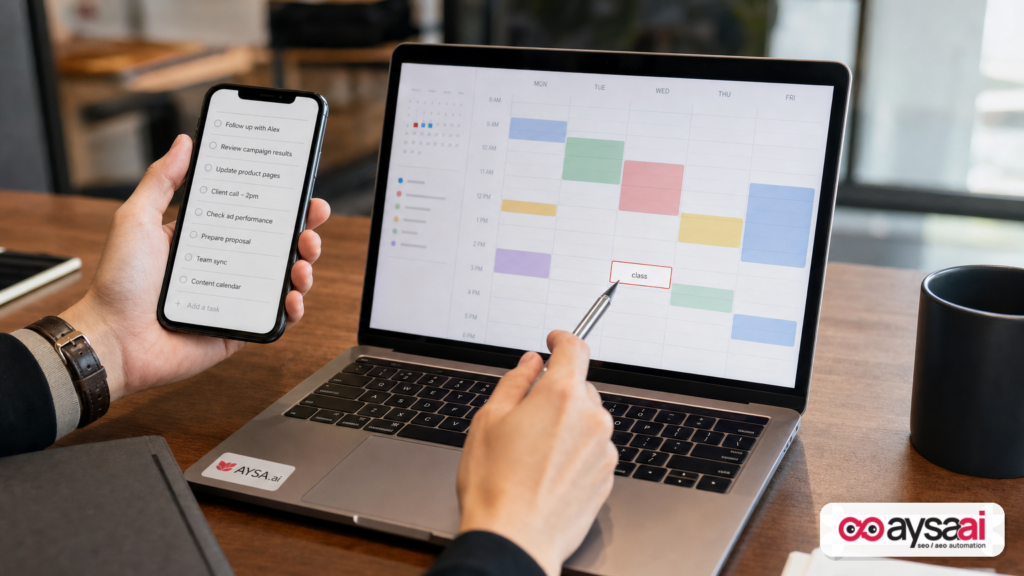
- Ask how to start a hobby and find a nearby class that fits their schedule
- Shop for gear with specific requirements and confirm what’s in stock nearby
- Create a strategy guide for a tabletop game and practice via a “Canvas” experience
- Find and book event tickets based on budget and preferences
- Generate a dinner party invite design by connecting third-party apps (like Canva) within Search
Source: Google Search Blog – “5 ways AI Mode in Search helps you enjoy the real world”.
Here’s the business translation: Search is being designed to behave more like an orchestrator than a directory. The user’s goal isn’t “learn.” The goal is “decide + do,” and the AI layer tries to remove friction between intent and action.
That changes what it means to “win” in search. You don’t just need to be relevant. You need to be the easiest safe choice in the shortest time.
Why it matters: the offline economy becomes a search funnel
Let’s call it what it is: a lot of “offline” life is still mediated by online discovery. If you’re a yoga studio, a dental clinic, a boutique hotel, a trail running shop, or a live music venue, you already know the pattern:
- People search with a vague idea (“beginner tennis lessons,” “hiking boots with ankle support,” “concerts near me”).
- They compare options quickly, often on mobile.
- They abandon if they can’t confirm basics fast (price, availability, location, hours, trust).
AI Mode is designed to compress that discovery and comparison phase. That’s great for users. For businesses, it means:
- Fewer opportunities to “sell the click.” If the AI helps a user decide before visiting your site, your content must work upstream.
- Higher penalties for incomplete information. If your inventory, schedule, pricing, or policies are unclear, the AI may prefer a competitor it can understand.
- More emphasis on “fit.” It’s not just who’s closest. It’s who matches budget, time window, skill level, and constraints.
In other words: AI Mode moves the battleground from “ranking for keywords” to “being selected as the best match.” That’s AEO (Answer Engine Optimization) and GEO (Generative Engine Optimization) in practical terms, not buzzwords.
For SMEs, this is simultaneously threatening and promising. Threatening because the old playbook—publish a few blog posts, build some links, wait—won’t keep pace. Promising because the businesses with the best operational clarity (real schedules, real inventory, real policies, real social proof) can be the obvious recommendation even without being the biggest brand.
The five “offline” use cases Google highlighted—and the business translation for each
Google’s post includes five consumer-friendly examples. Let’s translate each into what a business should do on its website and across its presence.
1) Finding local classes that fit a schedule
Google’s angle: Users can ask how to get started with something new and find nearby beginner clinics or lessons; with connected apps like Google Calendar, suggestions can fit existing schedules.
Business translation: If you sell classes, appointments, or sessions, you are no longer competing only on “best tennis lessons near me.” You’re competing on:
- Clarity of offerings: skill level, prerequisites, duration, what to bring
- Schedule structure: recurring times, start dates, time zone clarity
- Price transparency: drop-in vs package pricing, membership requirements
- Booking confidence: easy confirmation, clear cancellation/reschedule policy
SME reality check: most local class businesses bury the basics. AI systems don’t “dig.” They choose what’s easy to interpret.
2) Finding the exact gear you need (and local stock)
Google’s angle: Users can ask for gear with constraints (affordable boots, ankle support), compare products, check what’s in stock nearby, and even have Google call stores for availability.
Business translation: If you’re ecommerce or hybrid retail, your job is to make product fit and availability legible:
- Structured product attributes: sizing, materials, support level, compatibility, use cases
- Inventory signals: in stock/out of stock, store pickup, delivery windows
- Local intent readiness: store pages that clearly list what’s available and how to get it today
- Comparison content: “X vs Y,” “best for beginners,” “what to choose if…” pages that resolve friction
This is one reason “AI SEO” is not just content. It’s merchandising, ops, and web execution working together.
3) Perfecting a strategy (Canvas-style guides)
Google’s angle: Users can create guides to memorize strategies for games like chess, and even practice via a simulation.
Business translation: You might think this doesn’t apply to you unless you’re a gaming publisher. But the pattern does: AI Mode is encouraging users to request step-by-step, personalized learning assets.
If you sell any product or service that requires confidence—fitness, nutrition, B2B software, home services, medical services (careful with compliance), financial education (also careful)—you should expect more searches like:
- “Give me a plan”
- “Make me a checklist”
- “Compare options for my situation”
- “Help me decide what to buy / who to hire”
Businesses that publish clear, scoped, responsible guides (with transparent constraints and next steps) are easier for AI to cite or summarize—and easier for customers to trust.
4) Finding and booking event tickets
Google’s angle: Users can specify budget, ticket count, and the event type; AI Mode curates options and users finalize booking on their preferred platform.
Business translation: If you run events, venues, tours, workshops, or anything bookable, the competitive set is broader than ever. Your “competitors” can include any entertainment option that matches budget and schedule, not just similar venues.
What matters operationally:
- Event data clarity: dates, times, lineup/speakers, age restrictions, accessibility details
- Pricing tiers: transparent ranges, fees, what’s included
- Trust: clear refund policies, support contacts, safety/entry rules
- Distribution consistency: your site, listings, and partners must match (or you’ll lose confidence)
5) Designing a dinner party invite via connected apps
Google’s angle: Users can connect apps like Canva to Search and generate editable designs directly in results.
Business translation: This is bigger than party invites. It’s a signal that Search is becoming a place where users complete “creative tasks” without leaving.
If you’re in local services, hospitality, or ecommerce, expect “creative intent” searches that lead to offline action:
- Florists: “design a modern minimalist bouquet card / invite theme”
- Bakeries: “create a birthday theme plan and shopping list”
- Restaurants: “plan a dinner party menu, then book a private room”
- Hotels: “plan a weekend itinerary”
The winners will provide easy-to-reuse assets: templates, menus, downloadable checklists, and clear “book now / call now / reserve” CTAs that match the intent.
Where AI Mode raises the bar: “personalization” and connected apps
Google’s post references “Personal Intelligence” and the ability to connect across Google apps like Calendar to get more personalized results. It also mentions connecting third-party apps (like Canva) to Search.
I’m going to be careful here: I’m not going to invent how these systems rank or the exact mechanics beyond what’s described in the source. But the strategic implication is straightforward:
- Personal context makes “best” more individualized. If a user has a packed schedule, the “best class” is the one that fits Tuesday at 6pm within 15 minutes.
- Connected apps reduce switching costs. If a user can go from “idea” to “finished asset” (invite, plan, booking) in one flow, fewer brands get evaluated.
- Default choices become stronger. The platform that orchestrates scheduling, recommendations, and actions can shape which businesses are even considered.
For SMEs and agencies, that means two things:
- Precision beats breadth. It’s less about ranking for a broad keyword, more about matching a specific set of constraints.
- Data hygiene becomes marketing. Accurate hours, policies, pricing, and availability aren’t “admin.” They’re the difference between being recommended and being invisible.
How AI Mode changes search behavior (and what can go wrong)
Whenever Search gets better at answering and planning, user behavior changes. Here are the shifts I expect SMEs to feel first, plus the failure modes that come with them.
Shift 1: From keywords to constraints
Instead of “hiking boots,” users ask for “affordable boots for wide feet with ankle support for muddy trails, available near me this weekend.” That’s not a blog keyword. It’s a constraint set.
What can go wrong: If your product pages don’t specify fit, use cases, or availability clearly, the AI can’t confidently match you.
Shift 2: From browsing to shortlists
AI-curated lists reduce exploration. Users may see 3–7 options rather than 30 blue links.
What can go wrong: If you’re not in the shortlist, your traffic can drop even if “search demand” stays flat. This is why monitoring visibility across AI surfaces matters.
Shift 3: From “read” to “book/buy”
Google’s examples end in action: class suggestions, inventory checks, ticket booking, design creation. The intent is not informational; it’s transactional or navigational.
What can go wrong: Your site might still be optimized like it’s 2018—lots of content, weak CTAs, confusing next steps, slow mobile checkout. AI will funnel more “ready-to-act” users; wasting them is expensive.
Shift 4: Trust becomes a machine-readable requirement
Humans can tolerate ambiguity; machines struggle with it. AI systems prefer clear, consistent, corroborated information.
What can go wrong: Conflicting hours across your site and listings, outdated pricing, vague service descriptions, or missing policies can reduce confidence and selection.
What SMEs should monitor weekly in an AI Mode world
Most SMEs don’t fail because they lack strategy. They fail because they don’t run a monitoring cadence. AI search evolves quickly, and your website is a living asset.
Here’s what I would monitor weekly (or at least biweekly) if offline conversions matter to you:
1) AI-era visibility signals (not just rankings)
Traditional rank tracking can miss the point if users are being satisfied inside AI experiences. You need to watch for:
- Which pages are being used as the “best answer” on your own site (high engagement, assisted conversions)
- Which topics drive discovery that leads to bookings/purchases
- Which landing pages lose traffic after major Search changes (even if rankings look stable)
This is exactly why AYSA focuses on monitoring and fast execution loops: AYSA Monitoring.
2) Conversion readiness of “offline intent” pages
Audit the pages that answer offline-intent queries:
- Location pages
- Service pages
- Class/event pages
- Top product category pages
Check: is the next step obvious in under 10 seconds? Can a user see price range, availability, and how to book/buy?
3) Local consistency and operational facts
Even small discrepancies cause big friction:
- Hours (holiday hours are where most businesses fail)
- Address formatting and map pin accuracy
- Phone numbers and call routing
- Service area definitions
4) Merchandising and inventory clarity
If you sell physical goods, ensure that the details people ask about are present:
- Fit and sizing guidance
- Compatibility (models, versions, use conditions)
- Stock status
- Shipping and pickup timelines
5) Content freshness for high-intent guides
“How to start” content and “what to buy” content decays quickly. Keep it current, not endless.
If you need a system that helps you keep pace—monitor, propose, approve, execute—start here: AI Search Visibility.
Content & structure that AI can confidently use (AEO/GEO basics without the fluff)
AI systems tend to reward content that is:
- Specific (clear constraints and outcomes)
- Structured (predictable sections and headings)
- Consistent (facts match across pages and contexts)
- Actionable (the next step is obvious)
You don’t need to “write for AI.” You need to write so that a busy human (and an AI summarizer) can extract the answer without guessing.
Practical structure patterns that work
For offline-intent pages, I like these repeatable blocks:
- Who it’s for (beginner/intermediate/advanced; age; prerequisites)
- What you get (deliverables, session length, inclusions)
- When and where (schedule, location, parking/accessibility)
- Price (range, packages, what affects cost)
- Availability (next open slot, typical lead time)
- Policies (cancellations, refunds, rescheduling)
- Proof (reviews, testimonials, credentials—no exaggeration)
- CTA (book, call, reserve, check stock)
FAQ that reflects constraint-based questions
If AI Mode encourages “constraints,” your FAQ should mirror real constraint questions. For example, a local running shop could add:
- “Do you carry trail shoes for wide feet?”
- “Can I reserve a size for in-store try-on?”
- “What’s the best shoe for muddy trails vs rocky trails?”
- “Do you offer gait analysis?”
Not because FAQs are magic—because they force you to state the operational facts customers need to act.
What to avoid (common SME mistakes)
- Marketing-only copy. “Best in town” says nothing a machine can verify.
- Hidden prices. If you can’t publish exact prices, publish ranges and what changes them.
- Thin category pages. A list of products with no guidance is not helpful in an AI-driven comparison world.
- Outdated details. If your schedule changed, update it everywhere—or don’t be surprised by confusion.
AYSA’s content and execution approach is built around these practicalities: AI SEO Tools.
Local proof: availability, proximity, trust, and “can you do it today?”
One subtle but crucial point in Google’s examples is the emphasis on “nearby,” “in stock,” and scheduling. That’s local intent with urgency.
To win in that environment, you need to make four things unmissable:
1) Availability
“Do you have it?” “Can I book it?” “Can I come today?” This should be answerable immediately.
2) Proximity & access
Not just address. Parking, transit, accessibility, and “what to expect when you arrive” are high-trust details.
3) Trust signals
Clear policies and real proof. If you’re in a regulated area (health, finance), keep claims conservative and factual.
4) The “today” path
Even if most customers plan ahead, AI Mode will capture a lot of “I want to do this now” intent. Build a page section for “Doing this today?” with:
- Quick booking links
- Call button with hours
- What to bring
- Expected time commitment
This is not fluff. This is conversion.
What agencies should rethink: deliverables → operating systems
If you run an agency, AI Mode (and AI search generally) should change how you sell and retain clients.
The old deliverables model:
- “We’ll do X pages per month.”
- “We’ll build Y links.”
- “We’ll send a report.”
The new operating system model:
- Continuous monitoring for visibility shifts and conversion drops
- Prioritized change proposals tied to revenue paths (book/buy/visit)
- Fast approvals so changes don’t die in stakeholder limbo
- Execution on the site without waiting for a dev sprint “someday”
This is where tools matter less than process. In many SMEs, the constraint isn’t knowledge; it’s throughput. How many meaningful improvements can you ship per month without breaking governance?
AYSA is built to be that throughput engine: it monitors, prepares changes, requests approval, and executes accepted website updates. Learn the model here: AYSA Pricing.
The SME scenario: a local fitness studio + a specialty retailer competing in AI Mode
Let’s make this concrete with a realistic scenario you can picture.
Scenario
Business A: a local fitness studio offering beginner-friendly strength classes and small group coaching. They struggle with empty weekday slots.
Business B: a specialty outdoor retailer selling hiking and trail running gear. They have great staff but weak ecommerce content and inconsistent store inventory messaging.
Both rely on “offline” conversions. Both show up in the kinds of “touch grass” queries Google mentioned. AI Mode compresses the customer journey for both.
How the studio wins (or loses)
A user asks AI Mode: “I want to start strength training but I’m a beginner. I can do Tuesday or Thursday evenings next month. What’s near me?”
Studio win conditions:
- Beginner program page explicitly says “beginner-friendly” and what to expect
- Schedule and pricing are clear
- Location page includes parking, transit, and accessibility details
- Booking flow is fast on mobile
Studio lose conditions:
- “Contact us for pricing” (friction)
- Schedule buried in a PDF or image (hard to interpret)
- Confusing class naming (“Forge 45” means nothing to a beginner)
How the retailer wins (or loses)
A user asks: “Affordable hiking boots with good ankle support, available near me today.”
Retailer win conditions:
- Category pages filter and explain ankle support, terrain types, and fit
- Products have attribute-rich descriptions (not manufacturer copy only)
- Store page and product pages clearly show pickup/stock status
- Quick call option for store availability
Retailer lose conditions:
- Outdated “in stock” messaging that customers don’t trust
- No guidance for fit/support, forcing the user to keep searching
- Slow mobile experience
The key insight
Neither business needs “more AI.” They need more operational clarity shipped to the website—fast, consistently, and with approvals.
Where AYSA fits: monitoring + approved execution for AI search readiness
A lot of platforms talk about AI search visibility. The hard part is turning “insights” into shipped improvements. That’s why AYSA is built as an execution system, not a dashboard.
Here’s the workflow that matters in the AI Mode era:
1) Monitor what changes and what breaks
Search behavior evolves, and so do your competitors’ pages. Monitoring helps you catch issues early: visibility drops, content gaps, broken conversion paths, outdated facts.
Start with: AYSA Monitoring.
2) Prepare improvements that map to real intent
Not “write more blogs.” Prepare pages and sections that resolve constraint-based questions and push users toward offline action: book, call, visit, reserve, pickup.
Explore the approach: AI Search Visibility.
3) Ask for approval (governance without stagnation)
SMEs need control. Agencies need accountability. Approval gates prevent reckless edits—but without an approval workflow, nothing ships. AYSA’s model is built around proposing changes and executing only what’s accepted.
4) Execute accepted changes on the site
This is the difference between strategy and outcomes. AI search rewards the businesses that keep improving their “fit” signals and conversion readiness.
See tools here: AI SEO Tools.
5) Create a compounding advantage
Most competitors update quarterly, if that. If you improve weekly—guided by monitoring and focused on high-intent pages—you build a compounding advantage that AI-driven selection systems can’t ignore.
If you want more tactical pieces like this, browse our editorial hub: AYSA Blog.
What to do next: a 30-day action plan
Here’s a practical plan you can run in a month without pretending you’ll “rebuild everything.” The goal is to improve your odds of being selected in AI-driven offline journeys.
Week 1: Identify your offline-intent money pages
- List top 10 pages tied to offline conversion (appointments, classes, events, store pages, top categories).
- For each page, write the top 5 constraint questions customers ask (price, availability, timing, fit, policies).
- Decide the primary CTA per page (book, call, reserve, pickup, get directions).
Week 2: Add clarity blocks (the “no guessing” upgrade)
- Add “Who it’s for / What you get / When & where / Price / Availability / Policies / Proof” sections where missing.
- Make sure the page answers “can I do this today?” even if the answer is “next available is…”
- Replace vague copy with specific operational facts.
Week 3: Build two comparison or selection guides
Create two pieces that reduce decision friction:
- One “how to choose” guide (e.g., “How to choose hiking boots for ankle support” or “How to pick the right beginner class”).
- One “X vs Y” comparison relevant to your catalog/services.
Keep them honest, scoped, and tied to your actual offerings.
Week 4: Fix the conversion path end-to-end
- Test on mobile: can a user book/buy in under 60 seconds?
- Confirm your hours, address, phone, policies match across your site.
- Ensure inventory/availability messaging is trustworthy (don’t overpromise).
Then: turn it into an operating cadence
AI search isn’t a one-time project. Make it a weekly loop:
- Monitor changes
- Prioritize fixes
- Approve edits
- Execute
- Measure outcomes
This is the loop AYSA is designed to run with you.
What to do next (action list)
- Pick 3 pages that most directly lead to offline revenue and upgrade them with clarity blocks and constraint-based FAQs.
- Publish 1 “how to choose” guide tied to your highest-margin service/product category.
- Make availability real: show next open slots, real lead times, and clear booking paths.
- Audit local facts (hours, address, phone, policies) for consistency across your site.
- Start a monitoring cadence so you catch visibility and conversion issues early: AYSA Monitoring.
- Operationalize execution with approvals so improvements ship weekly: AI Search Visibility.
Sources and further reading
- Google Search Blog: 5 ways AI Mode in Search helps you enjoy the real world (primary source)
- Google DeepMind blog (referenced in source navigation)
- Google Research blog (referenced in source navigation)
- Google Developers blog (referenced in source navigation)
- Google Cloud blog (referenced in source navigation)
- Google Ads & Commerce blog (referenced in source navigation)
- Waze blog (referenced in source navigation)
- More Google Search posts (contextual hub; note: link is a general section, not the specific AI Mode post)
Note on sources: The Google post is the main verified input provided. Where this article makes predictions about behavior and competitive dynamics, those sections are explicitly analysis and practical editorial guidance—not claims of Google’s internal ranking mechanics.
Continue the AI search topic inside AYSA.
Use these pages to connect the article with AI SEO tools, AI visibility monitoring, AI Overviews and approved website execution.
Turn this topic into a website action plan.
Use these AYSA hubs to move from reading to technical fixes, AI visibility monitoring, research, glossary context and approval-first SEO execution.