Google’s AI Overviews Start Generating Images: What It Means For Search Visibility, Brand Safety, And SEO Execution
Google is adding AI image generation directly inside AI Overviews and rolling out a redesigned Google Images homepage. This isn’t just a UI refresh—it changes how customers discover products, trust results, and decide without clicking. Here’s how SMEs and agencies should adapt, what to monitor, and how AYSA helps you execute safely.
Google just signaled something important about where Search is headed: the results page is no longer only a place that finds images—it can also create them.
According to Search Engine Journal, Google is rolling out (1) AI image generation inside AI Overviews and (2) a redesigned Google Images homepage that functions more like a personalized discovery gallery. Both are staged rollouts over the coming weeks.
If you’re an SME owner, marketer, or an agency lead, this is not “just another AI feature.” It changes how customers research, compare, and decide—especially for visual categories like home services, ecommerce, hospitality, and anything where “seeing it” is part of trust.
I’m writing this from the perspective of building AYSA.ai: an execution system designed for the reality we’re in now—where Monitoring is constant, SEO/AEO/GEO changes need to ship fast, and most teams can’t afford the lag between insight and implementation.
Concise summary
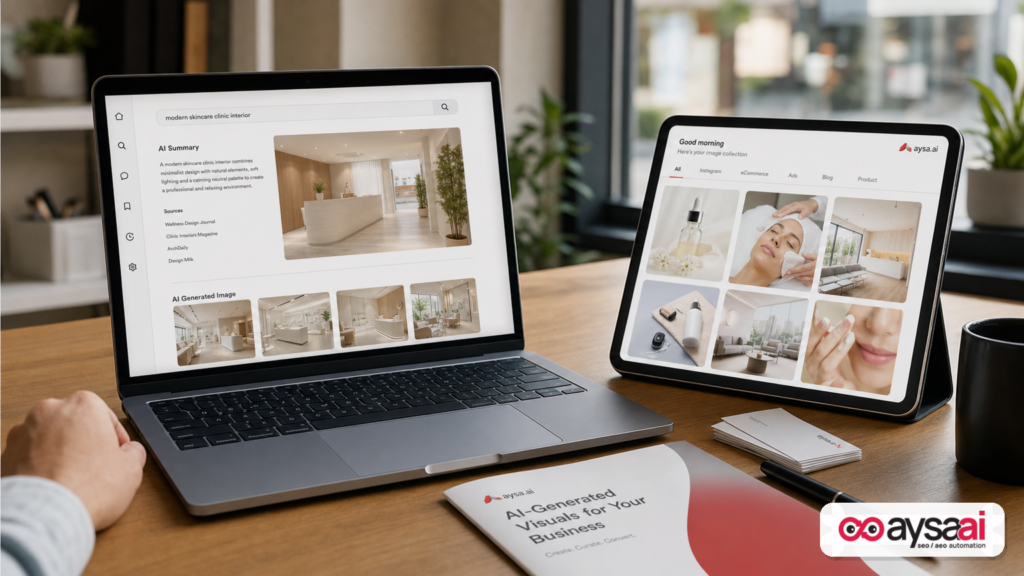
- AI Overviews will be able to generate custom images from prompts, using Google’s image model referenced in the source as “Nano Banana.” This adds a new “synthetic visual” layer to zero-click answers.
- Google Images is becoming more feed-like, with a redesigned homepage described as a real-time, personalized gallery (for signed-in users) and collections-style saving.
- Visibility will be measured differently: citations/mentions, inclusion in AI answers, and brand-consistent visuals will matter more than raw Clicks alone.
- Execution becomes the advantage: the brands that monitor changes, fix Structured data, publish clarifying content, and update imagery faster will earn the “source” role in AI results.
Key takeaways (for business owners and marketers)
- Expect fewer “image clicks.” More users will get an answer plus a usable image without visiting your site.
- Expect more brand risk. Generated visuals can misrepresent your product/service. You need brand-safe guardrails and official images that machines can understand and prefer.
- Discovery is shifting. Google Images’ new homepage pushes personalized browsing, not just keyword-based searching.
- Your job is to become the reference. Think “be the cited source” and “be the trusted visual source,” not “rank blue links.”
- Monitoring + approved execution wins. This is exactly where AYSA fits: monitor, propose changes, get approval, ship updates.
Table of contents
- What Google Changed (And Why This One’s Different)
- Context: AI Overviews Are Expanding The SERP’s Job
- The New Search Reality: “Answer, Image, Decision” Without A Click
- The Google Images Homepage Redesign: Why A Feed Matters
- Who Wins, Who Loses: Practical Industry Impact
- Risks: Brand Safety, Misrepresentation, And The “Synthetic Knockoff” Problem
- Measurement: What To Track When Clicks Shrink
- Content & Creative Ops: Build A Machine-Readable Visual Brand
- Technical SEO That Becomes Non-Negotiable In AI Search
- A Concrete SME Scenario: The Local Remodeler With A Visual Trust Problem
- Agency Reality Check: New Deliverables, New KPIs, New Workflows
- Where AYSA Fits: Monitoring + Approved Execution For AI Search
- What To Do Next: A 30-Day Action List
- Sources And Further Reading
What Google Changed (And Why This One’s Different)
Based on the reporting from Search Engine Journal, Google is doing two things at once:
1) AI Overviews can generate images
AI Overviews already summarize and answer queries at the top of many results pages. The change is that they can now generate images from a prompt directly inside that answer experience, rather than only showing images sourced from the web.
In plain English: the search results can now be the designer. If a user searches for a “nautical-style bedroom” (example referenced in the source), the result can include a custom generated image plus follow-up prompts to refine it. That’s not just information retrieval—it’s creative ideation embedded in search.
2) Google Images homepage becomes a personalized gallery
Google Images is also getting a redesigned homepage described as a browseable gallery that updates in real time and is tailored to signed-in users’ interests. Users can save ideas into collections that appear as tabs.
That is a shift from “type a query, see results” to “open Google Images and start browsing.” If you’ve ever watched the way TikTok or Instagram reduces friction to discovery, you understand what Google is trying to bring to images.
Why this one’s different: many Google updates change ranking signals or UI layouts. This one changes the unit of value that Google can deliver without sending traffic away: not only an answer, but also a usable visual.
Context: AI Overviews Are Expanding The SERP’s Job
Historically, Google Search did a few core jobs:
- Understand the query
- Retrieve relevant documents (pages)
- Rank them
- Send the user to the best source
AI Overviews changed the “send the user away” step. They increasingly keep the user on Google by answering directly on the results page.
Now image generation inside AI Overviews extends that same “stay here” logic into visual intent. For many commercial journeys, images are not decoration—they are how people verify reality:
- What does the hotel room look like in real life?
- How does the couch fit in a small living room?
- What does a “modern farmhouse kitchen” actually mean?
- What does a good haircut for my face shape look like?
When Google can generate a plausible visual on demand, it compresses research time. But it also compresses the space where real brands and real publishers used to earn attention.
In other words: the SERP is not just a directory anymore. It’s a product.
The New Search Reality: “Answer, Image, Decision” Without A Click
Most businesses already understand the pain of zero-click search: a user searches, gets an answer, and never visits your site.
With image generation inside AI Overviews, we’re moving toward something harsher for many categories:
- Answer: “Here’s what you should do/buy/choose.”
- Image: “Here’s what it looks like.”
- Decision: “Here are the next steps (and the choices).”
The result: fewer clicks, fewer pageviews, fewer product detail page visits, fewer “browse image results” sessions.
But this isn’t purely negative. It creates a new fight worth winning: being the underlying source that Google trusts for facts, comparisons, and (when it still uses web images) visuals.
One practical way to think about it: your website is no longer only a destination. It’s training data for trust signals: structured data, clear product/service definitions, authoritative explanations, and original imagery that can be referenced and understood.
The Google Images Homepage Redesign: Why A Feed Matters
Google Images has always been a massive discovery channel. But it was primarily query-led: people typed something and got results.
The redesigned Images homepage described by Google (as summarized by SEJ) functions like a personalized, real-time gallery. If you’re signed in, results are tailored to your interests; if you save to collections, those collections become tabs above the gallery.
This matters because it changes the acquisition funnel:
- Query-led discovery favors SEO keyword targeting (e.g., “small backyard patio ideas”).
- Feed-led discovery favors engagement loops, freshness, personalization, and content patterns that cause users to save and return.
For brands, this looks less like classic SEO and more like a hybrid of SEO + content strategy + creative operations.
And there’s a second-order effect: a feed needs inventory. Google may rely more heavily on signals that determine which images are “good candidates” for browsing, saving, and resurfacing later. That suggests your image metadata, context, and page quality could matter more than many teams currently treat it.
Who Wins, Who Loses: Practical Industry Impact
Let’s get specific. The impact is not evenly distributed.
Ecommerce
Risk: If AI Overviews can generate a “product-like” image for a query (“minimalist black desk lamp on walnut desk”), the user may never browse shopping pages to get inspiration.
Opportunity: Brands with distinctive, original photography and clear product data can still win when users switch from inspiration to purchase intent (“buy,” “price,” “best,” “near me”). Your job is to bridge that gap: ensure product pages, category pages, and guides are the most reliable source when the journey turns commercial.
Home services (remodelers, landscapers, painters, HVAC)
Risk: Visual ideation (“what should my kitchen look like?”) can happen entirely on Google without the user viewing a portfolio site.
Opportunity: When the user moves from “idea” to “hire,” trust and proof take over. That means reviews, local signals, before/after galleries, and clear service pages. If you’re not investing in authoritative explanations and real project photography, you will look interchangeable next to AI visuals.
Hospitality (hotels, resorts, venues)
Risk: AI-generated room or venue visuals can create unrealistic expectations—and guests blame the business, not the model.
Opportunity: The hotels that win will be the ones with consistent, verifiable imagery (multiple angles, accurate amenities, accessible descriptions) and strong brand storytelling. Feed-style discovery can also reward beautiful, consistent visual assets.
Publishers and creators
Risk: Visual explainers and inspiration content can be replaced or abstracted.
Opportunity: Original reporting, unique photos, and expertise-based visuals (e.g., diagrams, step-by-steps, annotated comparisons) remain valuable if they are referenced and cited. The goal becomes: “be the source that AI systems cite,” not “earn the click at all costs.”
Risks: Brand Safety, Misrepresentation, And The “Synthetic Knockoff” Problem
Whenever AI-generated images enter a mainstream distribution surface, three risks show up immediately for businesses:
1) Misrepresentation risk
A generated image can imply product features you don’t offer, outcomes you can’t guarantee, or styles you don’t actually produce.
Examples:
- A clinic appears associated with unrealistic before/after results.
- A contractor appears to build high-end work you don’t specialize in.
- An ecommerce product appears in a lifestyle context that’s inaccurate (wrong size, wrong materials, wrong accessories included).
This can trigger refunds, negative reviews, chargebacks, compliance complaints, or worse—depending on your category.
2) Brand dilution (the “everything looks the same” problem)
Generated images often converge toward a polished, generic aesthetic. If your competitive advantage is distinctiveness, search-generated visuals can blur it.
That means your real photos, real projects, and real customer outcomes become more important—not less.
3) Synthetic knockoffs and confusion
Even if Google does not intend to “copy” your brand, users may start treating AI-generated approximations as substitutes for real products. That can create customer confusion, brand impersonation, and support burden.
Practical takeaway: brand safety is no longer only about ads and social media. It’s about how AI answers represent you when no one is asking your permission.
Measurement: What To Track When Clicks Shrink
If you keep using 2019 KPIs to measure 2026 search behavior, you’ll make bad decisions. Not because clicks don’t matter—they do—but because clicks are no longer the only (or even primary) signal of influence.
Here’s a practical measurement model to adopt.
Tier 1: Visibility KPIs (are you present?)
- AI Overview presence for your key topics (do you appear? how often?)
- Citations/mentions (when an AI answer references sources—are you among them?)
- Brand query trend (are more people searching your name after exposure?)
Note: Google does not provide a perfect, unified report for “AI Overviews visibility” in standard analytics. If you can’t verify something, you should treat it as directional and focus on observable outcomes (brand lift, assisted conversions, lead quality).
Tier 2: Performance KPIs (does it convert?)
- Lead-to-sale conversion rate (often improves when traffic is more qualified)
- Assisted conversions (multi-touch journeys where search exposure happens earlier)
- Revenue per visit (can rise even if sessions drop)
Tier 3: Resilience KPIs (can you adapt?)
- Time-to-publish for new pages and updates
- Time-to-fix for technical issues affecting indexing/structured data
- Content refresh cadence (especially for evergreen commercial pages)
This is where many teams fail: they can spot problems but can’t execute changes quickly, safely, and consistently.
Content & Creative Ops: Build A Machine-Readable Visual Brand
If Google Images becomes more like a personalized feed, and AI Overviews can generate images, your job is to make your real visual assets “win the trust contest.” That means being both human-compelling and machine-readable.
1) Invest in original, accurate imagery (and treat it as a business asset)
In a synthetic visual world, real becomes premium. But “real” only helps if customers can find it and Google can understand it.
Build a consistent library:
- Multiple angles
- Real context (in-room, on-body, in-use)
- Scale references (size comparisons)
- Before/after where appropriate and compliant
- Clear mapping: which image belongs to which product/service/location
2) Make images understandable: filenames, alt text, captions, surrounding copy
Most teams do this poorly because it’s tedious. But it’s the difference between “uploaded image” and “search asset.”
Guidelines:
- Use descriptive filenames (not IMG_4920.jpg)
- Write alt text for accessibility and context
- Add captions when they add meaning
- Ensure the surrounding page content clearly describes what the image is
3) Design content for saving and revisiting
If Google Images collections and tabs become a real behavior pattern, you should assume users will:
- Browse ideas casually
- Save examples
- Return later when intent becomes commercial
That suggests your content should include:
- Clear “idea sets” (e.g., “10 layouts,” “5 styles,” “comparison grids”)
- High-quality visuals that represent achievable outcomes
- Next-step CTAs for when users are ready
Technical SEO That Becomes Non-Negotiable In AI Search
AI search surfaces still rely on the fundamentals: crawling, indexing, and structured understanding. If your technical foundation is weak, you’ll be invisible no matter how great your content is.
Here are the areas I would treat as non-negotiable in the AI Overviews era.
Structured data that matches reality
Structured data (schema.org markup) is how you reduce ambiguity. When AI systems summarize, compare, and recommend, ambiguity is your enemy.
Be conservative and accurate. Don’t stuff markup. Make sure what you mark up is reflected on the page.
Image delivery quality: performance + accessibility
- Optimize file sizes and formats responsibly
- Ensure images are indexable (not blocked by robots.txt, not hidden behind scripts that prevent discovery)
- Use descriptive alt text
Information architecture that supports “answers”
AI Overviews thrive on clarity. Build pages that answer real questions:
- What it is
- Who it’s for
- How it works
- What it costs (even ranges)
- What to compare
- What to do next
If your site is a collection of thin pages and vague marketing copy, you’re not giving AI systems anything solid to anchor to.
A Concrete SME Scenario: The Local Remodeler With A Visual Trust Problem
Let’s make this real with a scenario I see constantly.
Business: a 12-person kitchen and bath remodeling company in a mid-sized U.S. city.
How customers search today:
- “small kitchen remodel ideas”
- “white oak kitchen modern”
- “what does a $35k kitchen remodel include”
- “kitchen remodeler near me”
What changes with AI image generation in AI Overviews:
- For “ideas” searches, Google can now generate inspiration images directly in the results, reducing clicks to blogs and portfolios.
- The remodeler’s website loses early-funnel exposure—unless it becomes the trusted reference for cost ranges, process, and real-world constraints.
What the remodeler should do (practical):
- Create a “Remodel Cost & Timeline” hub page with clear ranges and what drives price (materials, layout changes, permits).
- Publish a portfolio that pairs real photos with project notes: budget range, timeline, constraints, materials used.
- Add service pages by intent (design-build, cabinetry, countertops, small kitchens, accessibility upgrades).
- Improve image metadata and context so each photo is anchored to a specific project and service.
- Monitor whether they appear in AI Overviews for “cost” and “process” queries (where trust matters more than inspiration images).
The point: you may lose some top-of-funnel inspiration traffic. But you can gain higher-intent visibility by owning the “realism layer”—the facts, tradeoffs, and decisions that AI summaries still need sources for.
Agency Reality Check: New Deliverables, New KPIs, New Workflows
If you run an agency, you need to update your operating model.
Deliverables shift from “rankings” to “presence + proof”
Rankings still matter. But clients will increasingly ask:
- “Are we showing up in AI answers?”
- “Are we being cited?”
- “Why did leads drop if impressions are up?”
- “Why are customers asking weird questions that sound like AI?”
Your deliverables should include:
- AI search visibility monitoring (queries, topics, presence)
- Content updates focused on being quotable/citable
- Technical hygiene that supports indexing and clarity
- Visual asset strategy (what images exist, what’s missing, what needs context)
Workflow becomes the differentiator
Most agencies are not losing because they lack ideas. They lose because execution is slow and brittle:
- Client approvals take weeks
- Developers are backlogged
- Content updates ship late
- Technical fixes get deprioritized
That’s why “approved execution” matters. It’s the difference between knowing what to do and actually doing it.
Where AYSA Fits: Monitoring + Approved Execution For AI Search
AYSA exists for this exact moment in search: when the surface changes quickly, when visibility is fragmented across AI-driven experiences, and when the bottleneck is implementation.
Here’s how to think about AYSA’s role, in plain business terms:
1) Monitor what’s changing (so you’re not guessing)
If AI Overviews and Google Images discovery patterns shift, you need early detection—not quarterly post-mortems.
Start here: AYSA Monitoring
2) Prepare recommendations that are safe and specific
SEO advice is cheap. Execution-ready recommendations are rare. The right changes are:
- Specific (which page, what section, what markup, what image)
- Aligned with business outcomes (leads, sales, qualified demand)
- Safe (no spam tactics, no risky automation)
3) Ask for approval (because brands need control)
In the AI era, mistakes scale. You need guardrails. AYSA’s model is built around human approval before changes go live.
4) Execute accepted website changes (so the strategy ships)
When you approve changes, you want them implemented—without a ticket queue turning into a graveyard. AYSA is built as an execution system, not a reporting tool.
If you want the broader framework for AI-era visibility, read: AI Search Visibility
And if you’re evaluating tooling, start with: AI SEO Tools
What it costs and how to evaluate fit
Pricing and packaging: AYSA Pricing
More editorial guidance and playbooks: AYSA Blog
What To Do Next: A 30-Day Action List
Here’s a practical plan you can run without needing to become an SEO expert.
Week 1: Audit your “visual truth”
- List your top 20 revenue-driving products/services.
- For each one, confirm you have accurate, original images and supporting copy.
- Identify gaps: missing angles, missing real-world context, outdated photos.
Week 2: Strengthen the pages AI systems summarize
- Improve clarity on your key pages: definitions, comparisons, steps, FAQs.
- Add price ranges or “what affects cost” sections where appropriate.
- Ensure each page has a clear next step (contact, book, buy, download).
Week 3: Fix the machine readability (technical + metadata)
- Clean up image filenames and alt text where it matters most.
- Validate that your images are indexable.
- Review structured data and remove anything misleading.
Week 4: Set up monitoring and a shipping cadence
- Choose a set of queries that represent your funnel (idea → compare → buy/hire).
- Monitor presence and changes weekly.
- Commit to shipping improvements every week (even small ones).
The operational rule: if you can’t ship changes weekly, you’re competing with companies that can.
Sources And Further Reading
- Search Engine Journal: Google Adds Image Generation To AI Overviews, Revamps Images
- Search Engine Journal: Latest news section (context on ongoing rollouts)
- Search Engine Journal: SEO coverage (broader context)
- Search Engine Journal: SEO News (tracking Google changes)
- Search Engine Journal: Google Algorithm Updates timeline (historical context)
Note on primary sources: The supplied research context references a Google company blog post announcement via an executive, but that primary URL is not included in the source links provided here. To avoid inventing citations, I’m citing the SEJ report directly and recommending readers cross-check Google’s own blog post once they locate it from the announcement trail.
Final perspective
Google adding image generation to AI Overviews is a milestone because it turns the SERP into a creative tool, not just an index. For businesses, that means three things:
- Visibility is fragmenting across AI answers, feeds, and personalized experiences.
- Trust is becoming visual—and synthetic visuals increase both speed and risk.
- Execution speed is strategy. If you can’t implement changes quickly and safely, you will fall behind even if you know what to do.
This is exactly why we built AYSA.ai: to monitor what’s happening, prepare the right fixes, ask for approval, and execute accepted changes so your business stays visible in the AI search era.
Continue the AI search topic inside AYSA.
Use these pages to connect the article with AI SEO tools, AI visibility monitoring, AI Overviews and approved website execution.
Turn this topic into a website action plan.
Use these AYSA hubs to move from reading to technical fixes, AI visibility monitoring, research, glossary context and approval-first SEO execution.