Google’s Soft Navigation Metrics Are Coming To Search Console: What It Means For SPAs, CWV, And Business SEO In 2026–2027
Google has added experimental Core Web Vitals metrics to CrUX that count “soft navigations” inside single-page apps. Most sites won’t see big shifts, but SPA-heavy brands may see higher pass rates—and a new way to diagnose real user experience. Here’s what changed, why it matters, and how to prepare before Search Console adopts it.

Google is testing a change that seems subtle on paper but can be huge in practice: Core Web Vitals (CWV) measurements that count in-app page changes—the “soft navigations” common in single-page apps (SPAs). Chrome has already added experimental versions of Largest Contentful Paint (LCP), Interaction to Next Paint (INP), and Cumulative Layout Shift (CLS) to the Chrome UX Report (CrUX), and Google says Search Console will adopt them after they graduate from experimental status (a May 2027 target is mentioned).
For most businesses, this will be a non-event. But if your site is SPA-heavy (modern ecommerce frontends, headless storefronts, SaaS apps, and many JavaScript frameworks), the “new” numbers can look meaningfully different—often better—because the measurement model is closer to how users actually experience your app: one view at a time.
I’m Marius Dosinescu, and from an operator’s perspective, this is not just a technical footnote. It’s a measurement shift that will ripple into SEO reporting, engineering roadmaps, and how we prioritize fixes. The winners won’t be the teams who chase green scores; they’ll be the teams who understand what’s being measured, communicate changes clearly, and execute improvements with discipline.
Concise summary

- Chrome added experimental CWV metrics in CrUX that include soft navigations (in-app page changes that update URL + visible content without a full reload).
- Stable CrUX metrics are unchanged for now; experimental fields live alongside them.
- Most origins have little soft navigation traffic, so most sites shouldn’t see major changes; SPA-heavy sites may see higher pass rates.
- This change reduces “blame the landing page for everything” measurement for SPAs and provides a more actionable view-by-view lens.
- Before Search Console switches, teams should update their diagnostics, Monitoring, and stakeholder expectations—especially agencies and product-led companies.
Table of contents
- What changed (and why Google is doing it now)
- A plain-English definition: hard loads vs. soft navigations
- What exactly changed in CrUX (and what did not)
- Which sites are likely to see changes
- How scores can move (and why that’s not “cheating”)
- Why this matters for SEO, revenue, and reporting
- What can go wrong: the real risks behind “better scores”
- What SMEs should monitor right now
- What agencies should rethink before the Search Console switch
- The SME scenario: a JavaScript-heavy ecommerce storefront
- A practical action plan (engineering + SEO + analytics)
- Where AYSA fits: monitoring, preparation, approval, and execution
- What to do next
- Sources and further reading
What changed (and why Google is doing it now)

Core Web Vitals have always been about real user experience, but one category of sites has been awkward to measure: SPAs and SPA-like experiences where page content changes without a classic navigation reload.
Historically, CrUX focused heavily on the initial page load for SPAs. Subsequent in-app interactions—clicks that swap content, fetch data, and update route URLs—could end up “charged” back to the landing URL. That was directionally useful, but for debugging, it often created confusion:
- “Why is the homepage CLS bad when the homepage looks stable?”
- “Why does a single slow interaction during a long session ruin our INP?”
- “Which route is actually causing the LCP problem: the landing page or the product detail view?”
The new experimental CrUX metrics attempt to answer those questions by measuring each soft navigation event more like a traditional page view. According to Search Engine Journal’s coverage, Chrome says this data comes from the Soft Navigations API and that the capability to detect and record soft navigation events is now enabled by default in Chrome (with a referenced milestone in their reporting). See: Search Engine Journal: Google Adds Experimental Soft Navigation Metrics To CrUX.
Google’s intent here is pragmatic: modern web UX isn’t strictly multi-page anymore. If Google wants performance metrics to remain meaningful (and comparable across architectures), CWV needs to reflect how users actually move through apps and experiences.
A plain-English definition: hard loads vs. soft navigations
Let’s simplify:
- Hard load = a classic page load where the browser loads a new document (navigation causes a full page reload).
- Soft navigation = an in-app change where the URL changes and content visibly updates, but the browser doesn’t fully reload the page (common in SPAs and frameworks like React, Vue, Angular, and many headless storefront setups).
From a customer perspective, both feel like “going to a new page.” From the browser’s perspective, they’re different events. And that difference matters because measurement and attribution have historically been less precise for soft navigations.
In Chrome’s framing (as described in the source), a soft navigation is detected when a user action results in both:
- a visible URL update, and
- a visible paint/change in content.
This is the key: Google isn’t trying to redefine the web. It’s trying to measure SPA behavior in a way that aligns with how stakeholders already talk about their app: route-level experiences, not one long “session blob” tied to the first landing URL.
What exactly changed in CrUX (and what did not)
CrUX now includes experimental versions of the three CWV metrics that incorporate soft navigations (in addition to traditional hard loads). The reporting notes in the source article describe new fields for:
experimental_largest_contentful_paint_with_softnavs- an experimental field for INP with soft navigations
- an experimental field for CLS with soft navigations
Two critical clarifications for business owners:
- Stable metrics are unchanged. You won’t suddenly see your existing CrUX “stable” numbers rewritten overnight (at least not yet).
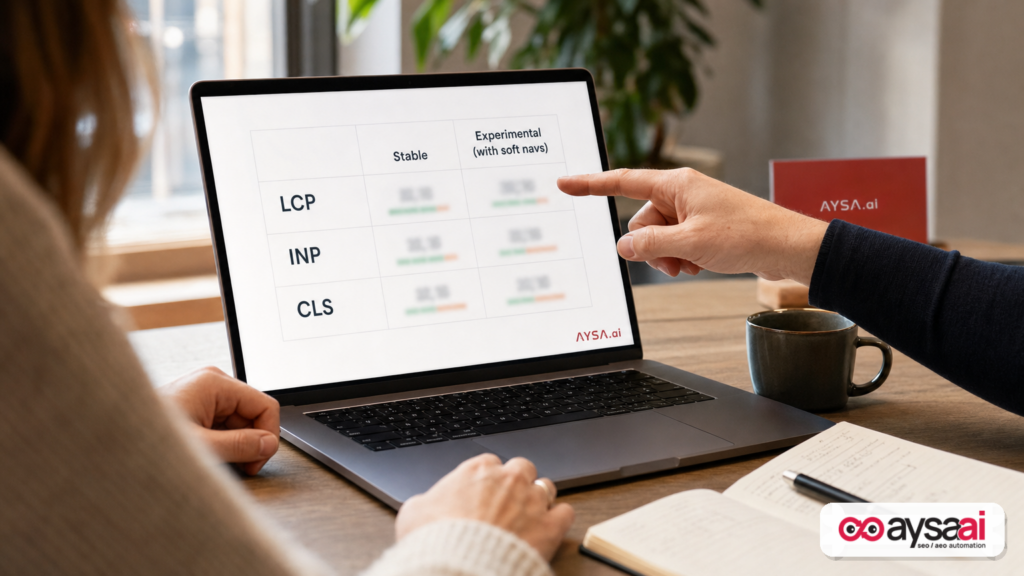
- This is additive and diagnostic. You can compare the stable view vs. the experimental view to understand whether soft navigations are driving differences.
Chrome also surfaced these experimental metrics in multiple access points referenced in the source coverage: BigQuery, the CrUX API, and CrUX Vis (with a toggle to include soft navigations). The big operational takeaway: even if you don’t use BigQuery, you should expect more tooling and reporting layers to expose this data over time—especially after Search Console adopts it.
When will Search Console switch?
Google’s messaging (as covered by SEJ) is essentially: once the metrics are no longer experimental—targeting May 2027—Search Console will adopt the new data.
That “subject to feedback” timeline matters. If you manage stakeholder expectations for a living (agency, in-house SEO lead, product marketing), treat this as a change window, not a hard date.
Which sites are likely to see changes
Not everyone should care equally. The SEJ coverage notes Chrome’s estimate that the majority of origins in CrUX have little to no soft navigation traffic, meaning their experimental vs. stable metrics will be nearly identical.
The sites that should pay attention are those where a large share of page views happen via soft navigations:
- Headless ecommerce with client-side routing and dynamic product/category pages
- SaaS marketing sites with app-like docs, pricing calculators, and route transitions
- Publishers using infinite scroll, app shells, or heavy client-side rendering
- Marketplaces and directories with dynamic filters and route updates
Here’s the nuance: even multi-page sites can contain “soft navigation-like” behavior via overlays, filtering, or hybrid rendering. So don’t self-disqualify just because you think you’re an MPA. The right approach is to test and compare.
How scores can move (and why that’s not “cheating”)
When measurement changes, scores change—even if your code doesn’t. That’s not cheating; it’s instrumentation.
According to the SEJ summary of Google’s post, SPA-heavy sites often show better experimental scores. The reason is intuitive:
- On many sites, the first load is the slowest experience (cold caches, full bootstrapping, initial JS parse/execute, font loading, etc.).
- Follow-up clicks tend to be faster because assets are cached, code is warmed up, and data fetching may be optimized.
So when CrUX begins to treat soft navigations more like separate views, you may see:
- LCP improve because subsequent views paint faster than a cold start.
- INP improve because responsiveness is evaluated in a view-based way rather than letting one worst interaction in a long session define the experience.
- CLS improve because layout shifts get grouped by view instead of accumulating across a session tied to the landing page.
One important business interpretation: a higher pass rate doesn’t automatically mean users feel a big change tomorrow. It means we’re measuring more precisely—so we can optimize more precisely.
Why this matters for SEO, revenue, and reporting
Core Web Vitals sit at the intersection of SEO and product performance. Even when rankings don’t move dramatically, CWV affects:
- Conversion rate (slow or janky experiences leak revenue)
- Return traffic (people don’t come back to sites that feel broken)
- Brand trust (especially in local services, clinics, and ecommerce)
- Marketing efficiency (paid traffic is wasted when the site experience is poor)
This specific change matters because it closes a long-standing gap between how SPAs work and how SEO teams are asked to explain performance “by URL.”
It changes stakeholder language
If you’re an operator, you know the meeting pattern:
- SEO says “homepage CWV is failing.”
- Engineering says “homepage is fine; it’s the product route after filtering that shifts layout.”
- Everyone loses a week arguing about instrumentation.
Soft navigation measurement doesn’t eliminate all disagreement, but it reduces the biggest mismatch: blaming the landing URL for what happens later in a session.
It creates a better debug loop
When each view has its own attributed metrics, the feedback loop improves:
- You can map performance work to specific routes/templates.
- You can validate fixes without “session noise.”
- You can prioritize high-traffic routes that actually drive revenue.
That’s not just technical. That’s budget allocation.
What can go wrong: the real risks behind “better scores”
This is where I’ll be direct: measurement improvements can create complacency.
Risk #1: Teams celebrate a pass-rate jump that isn’t user-perceived
If Search Console eventually switches to soft-navigation-inclusive metrics, some teams will see improved pass rates without making changes. That can lead to:
- Pausing performance investment
- Declaring victory too early
- Failing to fix route-level UX issues that still hurt conversions
Your job is to separate “measurement got fairer” from “experience got better.” Both are good—only one changes customer satisfaction.
Risk #2: Comparable reporting breaks across time
Any time a metric definition shifts, year-over-year comparisons become messy. If you’re an agency, this is where client trust can be lost:
- “Why did our CWV suddenly improve—did you change something?”
- “Why did the KPI definition change mid-contract?”
The fix is governance: annotate reporting, keep stable vs. experimental comparisons while you can, and maintain a changelog of measurement transitions.
Risk #3: SPA performance debt still exists (INP especially)
Even if the experimental numbers look better, SPA-heavy sites can still suffer from:
- main-thread blocking during route transitions
- hydration costs and heavy bundles
- layout instability from images, ads, or injected components
In other words: soft-navigation measurement can be more forgiving, but it can’t make a janky app feel smooth.
What SMEs should monitor right now
Small and mid-sized businesses don’t need to become CrUX experts overnight. But you do need to adopt a smarter monitoring posture—especially if your site behaves like an app.
1) Identify whether you have meaningful soft navigation traffic
If your site is built on an SPA framework or headless approach, assume “yes” until you confirm otherwise. If it’s a classic WordPress-style site (click = reload), assume “minimal” until proven otherwise.
Action: compare stable vs. experimental metrics in CrUX tooling where available (the SEJ coverage mentions CrUX Vis includes a toggle). If you see differences, you have soft navigation impact.
2) Track route-level business pages, not just the homepage
Business outcomes happen on:
- category pages
- product pages
- pricing pages
- booking/contact pages
In a soft-navigation world, these may finally receive cleaner attribution—use that to your advantage. Your goal isn’t to make the homepage green; your goal is to make the money pages fast and stable.
3) Watch for month-to-month shifts during experimentation
Google’s messaging (as relayed by SEJ) is to expect shifts as measurement improves. So don’t overreact to a single month of movement. Build a habit of:
- looking at trend lines
- checking whether changes align with releases
- annotating major site deployments
This is an analytics discipline problem, not just a web vitals problem.
What agencies should rethink before the Search Console switch
Agencies live and die by reporting clarity. A Search Console change in CWV attribution creates both risk and opportunity.
Rebuild CWV reporting to include definitions, not just scores
Client reports should contain one paragraph that explains:
- what is being measured (hard loads vs. soft navigations)
- what changed (experimental now, later stable)
- what your team controls (code, assets, rendering strategy)
Split “measurement change” from “engineering change” in your narrative
When numbers improve because measurement is fairer, call that out. It builds trust. When numbers improve because you shipped fixes, document the fixes and map them to outcomes (conversion rate, lead volume, AOV).
Update retainers and scopes
Many SEO retainers vaguely include “Core Web Vitals improvements.” In a hybrid SPA world, CWV work can be:
- front-end architecture work
- bundle splitting and dependency trimming
- image policy and component constraints
- QA for route transitions
If your contract doesn’t define who owns implementation, you’ll get stuck in analysis mode. Which leads us to execution.
The SME scenario: an ecommerce brand running a JavaScript-heavy storefront
Imagine a $3–10M/year ecommerce brand that moved to a headless storefront for design flexibility. They now have:
- a fast, app-like category filtering experience
- client-side route changes to product pages
- personalization widgets that load after navigation
Under the old attribution model, Search Console and CrUX-style reporting could make the landing URL look guilty for:
- layout shifts caused by widgets on later views
- interaction delays after multiple navigations
- LCP patterns that differ by route
Now, with soft-navigation-aware metrics:
- The category view and the product view can be judged more independently.
- The team can discover that the product template is stable, but the filter component causes route-transition jank.
- Engineering can prioritize fixes tied directly to the highest revenue routes.
That’s a win. But it also creates a trap: the pass rate might rise because follow-up views are faster. If the first landing experience remains slow (where acquisition traffic enters), conversion can still suffer. So the business must optimize both cold-start and in-app navigation performance.
A practical action plan (engineering + SEO + analytics)
This is how I’d operationalize the change for a serious business team.
Step 1: Baseline stable vs. experimental
- Capture the current stable CWV picture.
- Capture the experimental “with soft navigations” picture.
- Document deltas by metric (LCP/INP/CLS).
Outcome: you’ll know whether the new model changes your story—and which metric is most affected.
Step 2: Map your site into “views that matter”
Create a route taxonomy that reflects business value:
- Top landing pages (SEO + paid)
- High-traffic categories/collections
- Product detail templates
- Checkout/lead forms
- Pricing/demo request for SaaS
This is critical because soft navigation metrics are most useful when you can match performance to a specific view/template.
Step 3: Create a “soft navigation QA” checklist
Focus on common failure points during route transitions:
- CLS control: reserve space for images, promos, widgets, and injected components
- INP control: avoid long tasks during navigation; keep main-thread work lean
- LCP control: optimize the largest element on each view (often a hero image, product image, or headline block)
Even without deep tooling, you can catch obvious problems by simply navigating like a customer on mid-tier mobile hardware and observing: does the UI jump? does it freeze? does it feel delayed?
Step 4: Align stakeholders on “what success means”
Define success as:
- improved user experience (measured by CWV trends)
- and improved business outcomes (conversion rate, lead quality, revenue per session)
Do not let CWV become the goal. CWV is a constraint and a diagnostic lens; the goal is profitable growth.
Step 5: Build an execution loop (not a dashboard loop)
This is where most teams fail: they monitor endlessly and ship slowly. The winning teams do the opposite:
- monitor → identify root cause → propose change → get approval → ship → validate
That loop is exactly what we designed AYSA to support.
Where AYSA fits: monitoring, preparation, approval, and execution
Metric changes expose a fundamental operational truth: insights don’t fix websites—execution does.
AYSA is built to function as an SEO/AEO/GEO execution system: it monitors, prepares changes, asks for approval, and executes accepted website updates. In the context of soft navigation CWV, that matters in four concrete ways.
1) Monitoring that matches how modern sites behave
Start with AYSA Monitoring to keep performance and technical signals tied to the pages and templates that matter. As CrUX and Search Console evolve, teams will need consistent internal monitoring that doesn’t depend on one external definition changing at the wrong time.
2) Visibility beyond “rankings”
Performance is a means to an end: visibility and demand capture. Pair technical work with an outcomes lens via AI Search Visibility so you’re not optimizing in a vacuum.
3) Structured workflows for technical SEO tasks
Whether you’re prioritizing route-level fixes or auditing key templates, AYSA AI SEO Tools are built to turn observations into an executable plan—without relying on fragile one-off spreadsheets.
4) Approved execution (the part most teams are missing)
Especially for CWV work, the bottleneck is rarely knowing what’s wrong. It’s getting changes shipped safely. AYSA’s model is: prepare proposed website changes, request approval, then execute accepted changes—reducing the gap between “we should” and “we did.” Learn more about how we package this operationally on Pricing, and explore ongoing guidance on the AYSA Blog.
As Search Console transitions to new CWV definitions, teams that rely solely on Search Console dashboards will struggle with continuity. Teams that have their own consistent monitor-and-execute loop will be fine.
What to do next
- Check whether your site behaves like an SPA. If routes change without reloads, assume soft navigations are relevant.
- Compare stable vs. experimental CWV where possible (especially if you’re SPA-heavy).
- Identify your top revenue routes and ensure CWV work prioritizes those templates.
- Prepare stakeholders now for a future Search Console switch so reporting doesn’t break trust.
- Build an execution loop that turns diagnostics into shipped changes with approvals and validation.
- Adopt monitoring discipline that survives metric definition changes (trend lines, annotations, deployment logs).
Sources and further reading
- Search Engine Journal: Google Adds Experimental Soft Navigation Metrics To CrUX
- Search Engine Journal: Technical SEO coverage (context)
- Search Engine Journal: SEO News (context)
- Search Engine Journal: Google updates history (context)
Note: Google’s original developer documentation and repository links (e.g., Web Vitals feedback channels and the soft navigations spec repository) are referenced in the source coverage, but were not provided directly in the supplied research context here. Where your team needs primary documentation, verify those destinations from the official Chrome/Web.dev channels before implementation decisions.
Continue the AI search topic inside AYSA.
Use these pages to connect the article with AI SEO tools, AI visibility monitoring, AI Overviews and approved website execution.
Turn this topic into a website action plan.
Use these AYSA hubs to move from reading to technical fixes, AI visibility monitoring, research, glossary context and approval-first SEO execution.