
Performance Max for Net-New Customers: A Practical Playbook to Stop Paying Twice for the Same Sale
Performance Max can quietly recycle demand created by Meta, email, and brand search—making ROAS look great while contribution margin suffers. Here’s a practical framework to push PMax toward true net-new acquisition, what to expect when you do, and how AYSA helps teams monitor and execute the changes safely.

By Marius Dosinescu (AYSA.ai)
Performance Max (PMax) can be a growth engine—or a very expensive way to pay two platforms to “win” the same customer.
If you run Meta (or TikTok, etc.) and Google Ads at the same time, you’ve probably felt this tension: dashboards look healthy, ROAS is strong, and conversion volume is steady… but your actual new-customer growth is flat and profit feels tighter than it should. That’s rarely a creative problem. It’s usually an overlap problem.
This editorial is a practical playbook for pushing Performance Max toward net-new customer acquisition—not just “new-to-Google” conversions that were already warmed by social, email, or brand demand you created elsewhere.
This piece is inspired by and builds on the framework discussed by Search Engine Land in How to make Performance Max focus on net new customers. I’m not rewriting that article. I’m expanding it into an operational guide: what changed, what breaks, what to monitor, and what I’d do if I were running paid + owned growth inside an SMB.
Concise summary

- PMax historically optimized toward the “warmest” conversions: brand search, remarketing, existing customers—great for reported ROAS, risky for true incrementality.
- Newer controls (especially first-party audience exclusions) make it possible to constrain PMax and reduce overlap with Meta and other top-of-funnel channels.
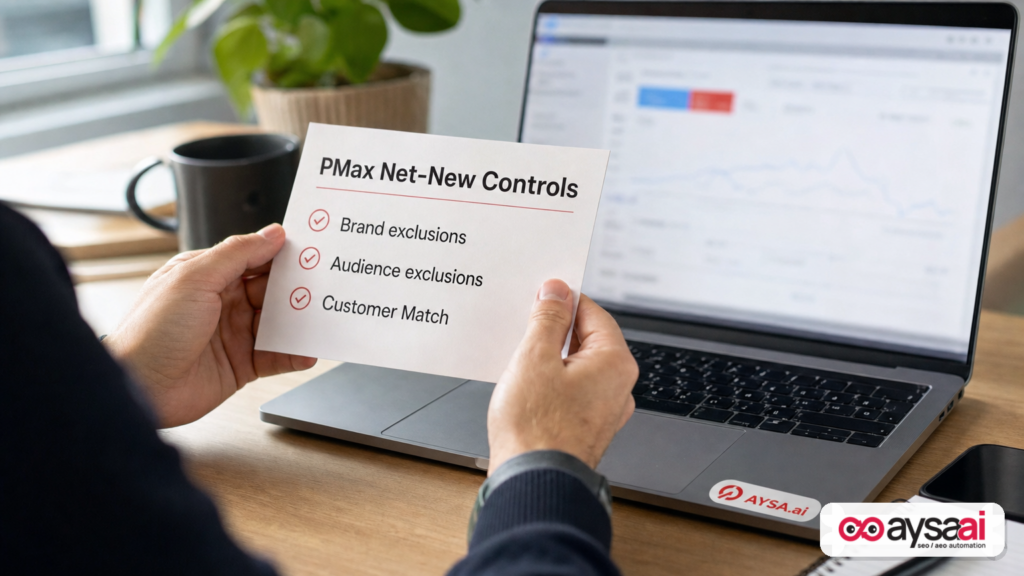
- A practical net-new framework is: (1) exclude brand, (2) exclude website visitors & subscribers, (3) exclude purchasers via pixel + Customer Match, (4) enable new customer bidding without poisoning your reporting.
- Expect reported ROAS to fall—sometimes sharply. That’s not necessarily a loss; it can be a sign you stopped buying the same conversion twice.
- Success is less about toggles and more about ongoing Monitoring, list hygiene, and controlled execution—this is where an execution system like AYSA can keep teams honest.
Table of contents
- The real problem: “new customers” that aren’t incremental
- What changed in Performance Max (and why it matters now)
- Net-new vs. new-to-platform: define the win before you optimize
- A four-step framework to push PMax toward net-new acquisition
- What to expect after you tighten PMax
- Attribution vs. incrementality: how to measure without lying to yourself
- Common failure modes (and how to avoid them)
- The SME scenario: a $2M ecommerce brand with “great ROAS” and flat growth
- Agency and in-house playbooks: who owns overlap?
- Where AYSA fits: monitoring + approved execution for growth teams
- What to do next (action list)
- Sources and further reading
The real problem: “new customers” that aren’t incremental

If you sell direct-to-consumer—or honestly, if you sell anything with a brand people can remember—your customer journey rarely lives inside one platform.
A real-world path looks like this:
- Someone sees a Meta ad, Clicks, and browses.
- They don’t buy. Maybe they get distracted. Maybe shipping is too slow. Maybe they need reassurance.
- Later, they search your brand name on Google, click a Shopping ad, and buy.
- Meta reports a conversion (view-through or click-through).
- Google reports a conversion (last click, or data-driven Attribution).
Both platforms may be “right” in their own model. But your bank account doesn’t care. You paid to influence the same person twice. And if you do this at scale, you get a dangerous outcome: you can grow ad-attributed revenue while shrinking contribution margin.
This is the trap Search Engine Land called out directly: PMax can “swoop in,” capture the hottest traffic, and make your dashboards look clean—especially when Meta is doing the messy work up top.
I’ll add my own perspective: the problem isn’t that Google is “stealing” conversions. The problem is that your account structure doesn’t define ownership. If nobody defines ownership, automation defaults to the easiest wins.
Performance Max is fundamentally an automation product. Automation is not moral or immoral; it’s literal. It follows incentives. If you tell it “get conversions at a ROAS target,” it will find the cheapest conversions. Cheap conversions are usually warm conversions. Warm conversions are usually overlap conversions.
What changed in Performance Max (and why it matters now)
For years, the critique of PMax was simple: it’s a black box that eats your best traffic.
Even if you were disciplined and split out brand Search, PMax still had plenty of channels to retarget through (YouTube, Display, Gmail, Discover). That’s why many teams saw a weird pattern: you “excluded brand” and nothing meaningfully changed.
What’s different now—and why this editorial matters in 2026—is that Google has continued to add levers to control PMax behavior. Most importantly, Search Engine Land highlights that Google introduced first-party audience exclusions as a critical missing piece (announced in March 2026). That closes a practical loop: you can now block your own known warm audiences from being targeted by PMax.
Google has also publicly communicated its intent to give advertisers more control over Performance Max. The Search Engine Land piece references a Google Ads update about excluding first-party audiences and improving visibility into placements and reporting. (For ongoing announcements, Google’s official news stream is the Google Ads site and its official channels.)
So the playbook evolved from “try to reduce brand leakage” to “build an actual prospecting constraint system.” It’s still not perfect. Matching is never perfect. But it’s no longer hopeless.
Net-new vs. new-to-platform: define the win before you optimize
Before you touch settings, agree on definitions with your team (or your agency). Because most conflict around PMax is actually conflict around language.
- New-to-platform: Google hasn’t seen this user convert before (or can’t match them). PMax can call them “new.” Your business might not agree.
- New-to-file: This person has never purchased from you before (the business definition most CFOs care about).
- Net-new / incremental: This person would not have purchased (or would have purchased later/cheaper) without the ad exposure and spend.
Most SMBs can’t measure true incrementality perfectly. That’s okay. But you can still avoid obvious self-deception:
- If a customer is already an email subscriber, calling that “net-new” is a stretch.
- If a customer searched your brand name, calling that “pure prospecting” is a stretch.
- If you’re paying Meta to prospect and Google to close, you should at least know that’s your strategy—not stumble into it.
This is where you need a written objective for PMax. Examples:
- “PMax is our non-brand demand capture engine.”
- “PMax is our incremental prospecting engine, optimized to new-to-file purchasers.”
- “PMax is our retargeting + closing engine, and Meta is prospecting.”
All three can be valid. What’s not valid is pretending you’re doing #2 while your settings allow #3.
A four-step framework to push PMax toward net-new acquisition
The framework below is consistent with the research direction in the Search Engine Land article, but expanded into a real deployment plan with guardrails, expectations, and monitoring.
Think of this as a “prospecting lockdown” approach. The goal is not to punish Performance Max. The goal is to stop it from spending on audiences you can already reach cheaply through owned channels (email) or that are already deeply warmed (site visitors, purchasers, brand searchers).
Step 1: Exclude brand demand (correctly)
Brand exclusions are foundational, but they’re not magic—and they’re easy to implement in a way that loses revenue.
What to do:
- Add a brand exclusion in PMax campaign settings. If your brand isn’t available, create a new brand list and add it. Google will attempt to block queries it deems branded.
- Add your brand name as a negative Keyword (phrase match) inside the PMax campaign to catch variations the brand list might miss. Include common misspellings and spacing variants.
- Build dedicated coverage campaigns for brand traffic you’re intentionally excluding from PMax:
- A brand Search campaign (exact/phrase).
- A brand Shopping campaign if Shopping is material in your category.
Why this matters: If you exclude brand in PMax but don’t provide a controlled alternative, you don’t “create incrementality.” You create a vacuum. Competitors love vacuums.
What to watch:
- Brand impression share and CPC in the dedicated brand campaign.
- Branded query leakage in PMax search terms insights (where available) and overall spend composition.
- Shopping coverage and feed health (product availability, price competitiveness, GTINs), because a brand Shopping gap can be revenue-negative fast.
When this step is worth it: Search Engine Land suggests paying attention once brand becomes a meaningful portion of cost or revenue. I’ll phrase it differently for SMBs: if you’re scaling and you feel like PMax “wins” a suspiciously high share of conversions with very little creative effort, there’s a high chance brand/remarketing is doing heavy lifting.
Step 2: Exclude website visitors and email subscribers
This is where the newer PMax controls become strategically important.
If you only exclude brand search, PMax can still do what it does best: find people who already know you, and then close them through YouTube, Display, Gmail, or Discover. That can be a fine strategy if you intentionally want Google to do retargeting. But if your goal is net-new customers, you need to constrain the inputs.
What to do:
- Create a first-party audience list for all website visitors (via the Google tag or GA4 audiences).
- Create a list for email subscribers. The Search Engine Land piece specifically notes using an ESP integration (like Klaviyo) so audiences update automatically.
- Use the new audience exclusions capability in PMax settings to exclude these lists.
Important nuance: “All visitors in the last 540 days” is usually too blunt. You may want segmented exclusions based on your business reality:
- Exclude cart adders for 30–60 days (high intent; likely to convert anyway).
- Exclude product viewers for 7–14 days (they’re warm; decide if you want PMax paying for them).
- Exclude blog readers only if your content is strong enough that it creates demand and you consider them “owned-warm.”
The right window is industry-specific. The point is to align exclusions with how long it takes someone to decide.
What to watch:
- New vs returning customer mix (in your ecommerce platform, not only in Google Ads).
- Changes in conversion lag distribution. Tight prospecting tends to lengthen time-to-conversion.
- Top-of-funnel leading indicators: new users, engaged sessions, new email signups—because you’re asking PMax to do harder work.
Step 3: Exclude existing purchasers (pixel + Customer Match)
If you do only Step 2, you’ll still likely pay for existing customers who haven’t visited recently—or customers that Google can’t recognize as returning. This is where purchaser exclusions matter.
What to do:
- Pixel-based purchasers list: build an audience of users who triggered a purchase event and exclude it.
- Customer Match list: upload customer data (or connect through your ecommerce/ESP integration where available) and exclude matched users.
Search Engine Land points out a crucial reality: customer matching is imperfect. If you upload 1,000 customers, Google may only match a portion. That’s not a reason to skip it; it’s a reason to use both methods when possible.
What to watch:
- Match rates of your customer lists (where shown).
- Repeat purchase rate and whether it drops in a way that hurts LTV. (Some businesses want Google to help with reactivation.)
- Whether your retention channels (email/SMS/loyalty) pick up the returning-customer workload you just removed from PMax.
Operational warning: Lists decay. People change emails. They use alternate addresses. They clear cookies. If nobody owns list hygiene, purchaser exclusions weaken over time. This is a process, not a one-time setup.
Step 4: Use New Customer Bidding without corrupting ROAS
After you exclude brand, visitors, subscribers, and purchasers, you’ve constrained PMax to colder audiences. Now you need to align bidding behavior with your goal.
In PMax customer acquisition settings, Google provides two broad options (as discussed in the Search Engine Land framework):
- Bid only for new customers (aggressive; campaign avoids existing customers).
- Bid higher for new customers (flexible; you assign additional value to a new customer).
The reporting trap: If you set an “additional value” for new customers, Google can incorporate that into reported conversion value. Search Engine Land warns that this can inflate ROAS and distort tROAS bidding because the extra value isn’t revenue—it’s a model input.
My practical take:
- If you’re early in testing and you want clean reporting, keep any “extra value” minimal so you don’t turn your dashboard into fiction.
- If you have confidence in LTV differences between new and returning customers, you can use a more meaningful value—but you should then manage reporting in parallel (e.g., separate new-customer KPI dashboards outside Google Ads).
Either way, remember: bidding settings don’t override weak measurement. If you don’t know whether customers are truly new-to-file, you’ll be optimizing in fog.
What to expect after you tighten PMax
Most teams implement exclusions, see ROAS drop, panic, and roll everything back. That’s the predictable failure cycle.
If your goal is net-new acquisition, here’s what to expect—and why it’s not automatically bad:
- Reported ROAS will likely decline. Warm conversions are cheaper and more frequent. You just told the machine it can’t chase them.
- CPA may increase. Prospecting is more expensive than retargeting. That’s normal.
- Conversion volume may soften short term. Especially if your account relied heavily on brand or remarketing.
- New-to-file mix should improve. The whole point is to shift the customer composition of purchases, not to win the “best looking” PMax dashboard.
- Creative and landing pages will matter more. When you remove warm audiences, your messaging must do more work.
There’s also a strategic benefit that’s easy to miss: once you stop using PMax as a catch-all closer, you can better understand what Meta (or other channels) is actually doing. Your channel roles become clearer.
Attribution vs. incrementality: how to measure without lying to yourself
I’m not going to pretend every SMB can run clean incrementality experiments. But you can still be rigorous.
The Search Engine Land page context includes a relevant additional reading link: Attribution vs. incrementality: Why you need both. Even if you don’t read it today, that title contains a critical truth: attribution is not incrementality, and incrementality is not optional when you scale.
Minimum viable measurement (for SMBs):
- Track new vs returning purchasers in your ecommerce platform (Shopify, etc.) as the “source of truth.”
- Track Branded Search volume trends (Google Search Console can help on organic branded queries; paid branded coverage is in Google Ads). You’re looking for “did we just move demand around?”
- Run controlled changes: implement one step at a time (or staged rollouts by geography/product category) so you can attribute movement to a cause.
- Use profit-aware KPIs: contribution margin, blended CAC, and payback period matter more than platform ROAS once you have multiple channels.
What not to do: Don’t declare victory because PMax ROAS improved after tightening exclusions. That can happen if spend shifts, but it doesn’t prove incrementality. Also don’t declare failure because ROAS fell. That also doesn’t prove anything. The win condition is whether you acquired more new-to-file customers at an acceptable blended cost.
Common failure modes (and how to avoid them)
Here are the most common ways this strategy breaks in the real world.
1) Excluding brand without defending it
If you block branded queries in PMax but don’t run a brand Search/Shopping strategy, competitors can intercept your demand. This is especially risky in categories with aggressive conquesting.
Fix: create explicit brand coverage campaigns and monitor impression share and CPC drift.
2) Audience lists that don’t refresh or don’t match
Customer Match lists can lag. Pixel lists can be incomplete if tagging is broken. Email subscriber lists can fragment if you use multiple tools.
Fix: assign one owner (in-house or agency) to list hygiene. Create a monthly checklist: match rate check, list size sanity check, tag health check.
3) Optimizing to the wrong conversion action
If your conversion goal includes low-intent actions (like newsletter signups), PMax can optimize toward those—even when you intended net-new purchasers. That produces cheap “success” and weak profit.
Fix: ensure primary conversion actions reflect the business goal. Segment micro-conversions as secondary.
4) Corrupting ROAS with “additional value” settings
Assigning an arbitrary high incremental value to new customers can inflate conversion value, distort ROAS, and lead you to set unrealistic tROAS targets.
Fix: keep additional value minimal unless you have a robust LTV model and you report “real revenue” separately.
5) Keeping the same creative while asking for colder traffic
Warm audiences forgive average creative. Cold audiences don’t. When you shift PMax toward prospecting, your offer clarity, proof, and landing page UX become more important.
Fix: refresh creative inputs, improve landing pages, and tighten product feed quality. (Even without hard stats, in practice this is where most prospecting-focused campaigns either succeed or stall.)
The SME scenario: a $2M ecommerce brand with “great ROAS” and flat growth
Let’s make this concrete with a scenario I see constantly.
Business: a $2M/year ecommerce brand selling a consumable product (think specialty wellness, coffee, skincare—something with repeat potential). One person manages marketing, with a small agency running Google Ads.
Current mix:
- Meta drives most prospecting spend.
- PMax shows strong ROAS, so it gets budget.
- Email/SMS is healthy and converts well.
The symptom: new customer counts are flat month over month, but ad platforms both “report” growth. Blended CAC is creeping up. The founder feels like marketing is working, but the business isn’t getting easier.
What’s probably happening:
- Meta is generating demand (prospecting + retargeting).
- PMax is harvesting the easiest close events: brand searches, returning customers, and recent visitors.
- Email closes warm leads in parallel.
- Every channel claims the same wins in its own dashboard.
What we do (playbook):
- Document goals: “PMax’s job is net-new purchasers, not existing customers.”
- Stage rollout:
- Week 1: brand exclusions + dedicated brand coverage.
- Week 2: exclude site visitors (start with cart adders and recent visitors; expand later).
- Week 3: exclude purchasers (pixel + customer list).
- Week 4: enable new customer bidding and set reporting rules.
- Define success metrics outside Google Ads:
- New-to-file purchasers (Shopify).
- Blended CAC (all paid spend / new customers).
- Contribution margin by cohort if possible.
What changes operationally: the agency can’t only optimize PMax ROAS anymore. They must coordinate with Meta spend patterns and email cadence. That’s the real unlock: channel roles become intentional.
Agency and in-house playbooks: who owns overlap?
Overlap problems persist because organizations create them structurally.
Typical setups:
- Agency A runs Meta, reports Meta ROAS.
- Agency B runs Google, reports Google ROAS.
- In-house team receives two beautiful reports and a confusing bank balance.
PMax makes this worse because it blurs boundaries by design: it can run across Search, Shopping, YouTube, Display, Discover, Gmail.
What has to change:
- One owner must be accountable for blended outcomes (new customers, blended CAC, contribution margin). If nobody owns blended outcomes, overlap wins.
- Channel charters: write down what each channel is supposed to do (prospecting, closing, retention) and measure it accordingly.
- Controlled experimentation: treat exclusions as experiments with pre-defined evaluation windows.
If you’re an agency, this is uncomfortable but necessary: a “best-in-class Google Ads report” that ignores overlap can be harmful to the client. If you’re in-house, the job is to demand a shared scoreboard.
Where AYSA fits: monitoring + approved execution for growth teams
AYSA is not a bidding algorithm and not a replacement for your media buyer. AYSA is an execution system that helps businesses reduce the distance between “we know what we should do” and “the site and measurement actually reflect it.”
When you tighten PMax toward net-new acquisition, your dependency on site quality, tracking integrity, and landing page clarity goes up. This is exactly where teams lose time: the ad-side changes in a day; the site-side improvements take weeks because they require coordination, approvals, and careful edits.
AYSA’s model is simple:
- Monitor what matters continuously (technical issues, Content decay, visibility changes). See: AYSA Monitoring.
- Prepare recommended changes (SEO/AEO/GEO and on-site improvements that support conversion and clarity).
- Ask for approval—no silent changes.
- Execute accepted changes so improvements actually ship, not just live in a doc.
In a net-new PMax strategy, AYSA helps in a few practical ways:
- Landing page readiness for colder traffic: when you stop relying on warm audiences, your pages need sharper value prop, better FAQs, clearer shipping/returns, stronger trust elements. AYSA can help teams identify what’s missing, propose updates, and execute them upon approval.
- Organic and brand demand protection: excluding brand in paid makes it even more important that organic visibility and brand SERP hygiene remain healthy. AYSA supports ongoing search visibility work via AI Search Visibility and tooling at AYSA AI SEO Tools.
- Operational discipline: changes like exclusions, feed improvements, and landing page updates work best when implemented as a controlled program. AYSA provides a system to plan and ship improvements with approvals rather than ad-hoc edits.
If you’re evaluating whether AYSA fits your stack, start with the product overview and pricing: AYSA Pricing. For more practical editorials like this, see AYSA Blog.
What to do next (action list)
Here’s a practical sequence you can use this week—whether you’re an SMB owner, an in-house marketer, or an agency lead.
- Write down the role of PMax in one sentence (prospecting vs closing vs mixed). If you can’t, you’re not ready to optimize it.
- Audit overlap symptoms:
- Is PMax heavy on brand?
- Is PMax heavy on returning customers?
- Do Meta and Google both “win” the same days?
- Implement Step 1 (brand exclusions) with brand coverage campaigns so you don’t create a vacuum.
- Implement Step 2 (visitor + subscriber exclusions) in stages (start with highest-intent warm lists).
- Implement Step 3 (purchaser exclusions) using both pixel and Customer Match where possible.
- Enable new customer bidding and decide reporting rules so ROAS doesn’t become a made-up number.
- Measure outside the ad platform: new-to-file purchases, blended CAC, contribution margin trends.
- Upgrade landing pages for cold traffic. If you’re sending colder users to pages built for warm audiences, you’ll pay for that mismatch.
- Set a monitoring cadence for list health, tagging, and brand leakage. Use a system, not heroics.
Sources and further reading
- Search Engine Land: How to make Performance Max focus on net new customers
- Search Engine Land: Attribution vs. incrementality: Why you need both
- Google Ads (official)
- Google Ads Help Center (official documentation)
- Google Ads Help: About Performance Max campaigns (official reference for baseline PMax behavior; verify specific settings in your account UI)
- Google Ads Help: Customer Match (official reference for customer list matching constraints and requirements)
Note: Google Ads product capabilities can be account-, region-, and eligibility-dependent. If you don’t see a setting referenced here (e.g., certain exclusions), treat it as “not yet available in your account” and confirm via the Google Ads Help Center or your Google rep rather than assuming it doesn’t exist.
Continue the AI search topic inside AYSA.
Use these pages to connect the article with AI SEO tools, AI visibility monitoring, AI Overviews and approved website execution.
Turn this topic into a website action plan.
Use these AYSA hubs to move from reading to technical fixes, AI visibility monitoring, research, glossary context and approval-first SEO execution.

