Semantic SEO For WordPress: Why A Plugin Is Not Enough
Semantic SEO for WordPress means turning pages, categories, tags, schema, internal links and business context into a coherent meaning system, not simply installing an SEO plugin.
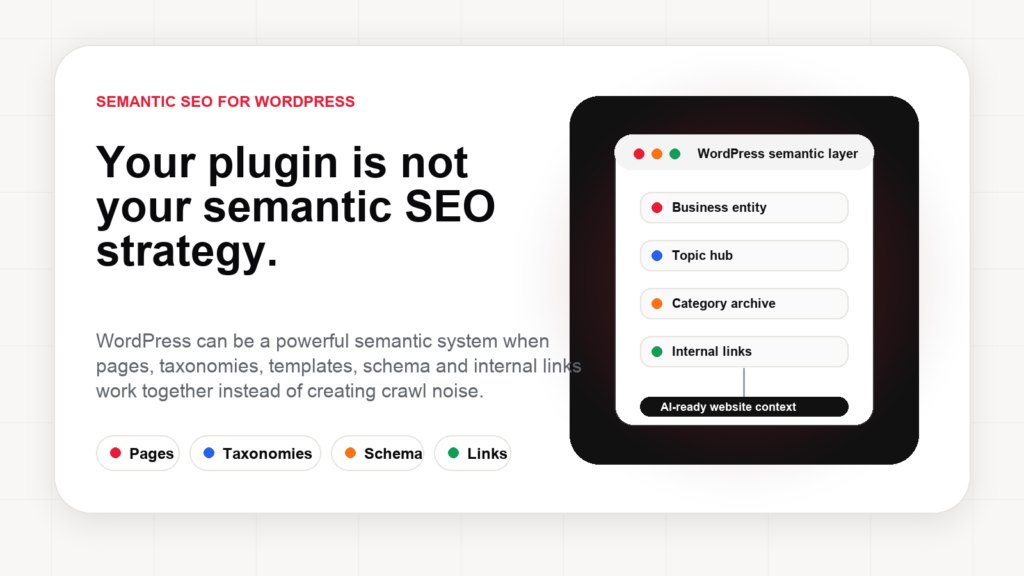
WordPress powers millions of business websites because it is flexible, familiar and easy to extend. That flexibility is exactly why WordPress can be excellent for semantic SEO. It is also why many WordPress websites become semantically messy.
The mistake is thinking semantic SEO begins and ends with an SEO plugin. A plugin can help with titles, meta descriptions, schema, XML sitemaps and robots settings. Those are useful. But a plugin cannot automatically understand your business model, your market, your services, your locations, your customer journey, your topical gaps or the difference between a useful tag archive and a Crawl trap.
Semantic SEO for WordPress is the work of turning the website into a clear meaning system.
That means the website should explain who the business is, what it offers, where it operates, which topics it covers, how pages relate to one another, what evidence supports the claims and what action a user should take next.
The plugin myth: WordPress SEO is not a settings screen
Most WordPress SEO conversations start with tools: Yoast, Rank Math, sitemap plugins, schema plugins, performance plugins, image plugins and caching plugins. Tools matter, but they are not the strategy.
A WordPress site can have perfect Meta title fields and still fail semantic SEO if:
- categories and tags overlap without purpose;
- service pages are thin and disconnected;
- blog posts do not link to product or service pages;
- location pages repeat the same text;
- Schema markup describes content that is not visible;
- important pages are buried too deep;
- AI-generated content creates volume without meaning;
- the site has hundreds of indexable low-value archives.
Google’s Search documentation repeatedly points back to fundamentals: Crawlability, Indexability, helpful content, clear structure, page quality, usability and content that serves real users. A plugin can support those fundamentals, but it cannot replace them.
WordPress reality
Plugin-only SEO
Focus: title fields, meta fields, sitemap toggles, schema switches and score indicators.
Useful, but incomplete if the website architecture itself does not communicate meaning.
Semantic WordPress SEO
Focus: business entity, topic hubs, taxonomies, internal links, content depth and approved execution.
The plugin supports the system; it does not become the system.
Why WordPress can be a powerful semantic SEO platform
WordPress already contains many building blocks that are useful for semantic SEO:
- Pages for core business, product, service and location information.
- Posts for education, news, guides, opinions and topical coverage.
- Categories for editorial organization and topic hubs.
- Tags for specific recurring concepts, if managed carefully.
- Custom post types for products, glossary terms, events, case studies, locations or documentation.
- Menus and breadcrumbs for navigation and hierarchy.
- Templates for consistent content structure.
- Permalinks for clean URL patterns.
The WordPress developer documentation explains how templates, taxonomies and permalinks shape how content is organized and displayed. From a semantic SEO perspective, that means WordPress is not only a CMS. It is a meaning architecture layer.
For example, a medical clinic might use pages for services, doctor profiles, location pages, blog articles, FAQ sections and glossary terms. A hotel might use pages for rooms, restaurant, spa, events, local guides and seasonal offers. An ecommerce store might use product categories, comparison guides, brand pages, product attributes and buying guides.
When these pieces are connected correctly, WordPress can communicate topical authority and entity relationships very well.
Where WordPress semantic SEO usually goes wrong
1. Category and tag chaos
WordPress makes it easy to create categories and tags. That is useful until every writer creates a new tag for every article. Over time, the site ends up with hundreds of thin tag archives, duplicate concepts and no editorial hierarchy.
A tag such as “SEO” may overlap with “SEO tips,” “search engine optimization,” “Google SEO,” “SEO guide” and “SEO strategy.” If all of them are indexable archives with similar content, they create semantic noise instead of clarity.
The fix is governance. Categories should represent major editorial sections. Tags should represent meaningful recurring concepts. Low-value archives should usually be noindex,follow. Strategic archives should have useful descriptions, internal links and a clear role.
2. Blog posts that never support business pages
Many WordPress sites publish articles but do not connect them to commercial pages. A hotel writes about “things to do in Brasov” but does not link to the hotel’s family rooms, parking page or weekend packages. An SEO software site writes about semantic SEO but does not connect to its AI visibility product page.
This is a missed opportunity because internal links teach meaning. A blog post should not float alone. It should connect to related glossary terms, product pages, service pages, category hubs and follow-up articles.
3. Page builders that hide structure
Page builders can help design quickly, but they often create bloated DOM, inconsistent heading order, duplicated sections, hidden content and weak semantic HTML. The page may look fine to a human but be harder for crawlers and AI systems to parse.
Semantic SEO does not require ugly pages. It requires clean structure behind beautiful pages.
4. Custom post types without internal linking
Glossary terms, case studies, events, documentation pages and product pages can become powerful semantic assets. But if they are not linked from articles, hubs and related pages, they become orphan content.
A glossary term for topical authority should connect to articles about semantic SEO, AI Search, internal linking and content strategy. A case study should connect to the industry page, the solution page and the relevant proof section.
5. Schema without visible support
Google’s structured data documentation is clear: structured data should describe visible content and follow the rules for the feature. Schema that claims reviews, FAQs, products or services without visible support can create risk instead of clarity.
For WordPress, this matters because many plugins can output schema automatically. Automatic does not mean correct.
A practical semantic SEO framework for WordPress
Step 1: Define the business entity
Start with the homepage, About page, author pages, product pages and Organization schema. The website should make the entity clear: name, offering, market, location, expertise, proof and contact details.
If the business is a local clinic, the website should make services, doctors, location, booking, reviews and specializations explicit. If the business is an ecommerce store, it should make categories, brands, delivery, returns, product attributes and trust signals clear.
Step 2: Build topic hubs, not random posts
WordPress categories should support real topic hubs. For example, an AYSA topic hub around semantic SEO can include articles about semantic SEO in AI Search, semantic SEO for HoReCa and tourism, entity SEO, structured data, topical authority and internal linking.
This creates a cluster that is easier for users, search engines and AI systems to understand.
Step 3: Clean taxonomies
Audit categories and tags. Merge duplicates. Delete empty tags. Noindex low-value archives. Improve strategic archives with descriptions, links and useful context. Do not let WordPress create thousands of indexable archive pages by accident.
Step 4: Connect glossary, blog and commercial pages
Glossary pages should not be isolated dictionary entries. They should link to commercial pages and articles where the concept is applied. Articles should link back to glossary definitions where useful. Commercial pages should link to educational content when it helps the buyer understand the product.
This is how WordPress becomes a semantic network, not just a list of URLs.
Step 5: Make templates enforce structure
A good WordPress theme can prevent SEO problems by design. Article templates should have one H1. FAQ blocks should be visible if FAQ schema is emitted. Breadcrumbs should reflect hierarchy. Author boxes should support E-E-A-T. Related posts should be semantically relevant, not random.
Step 6: Monitor and execute improvements
Semantic SEO is not finished after one audit. New posts create new internal link opportunities. New tags can create duplicates. New services need schema. New AI Search behaviors may require clearer answers. WordPress needs continuous governance.
architecture → execution
Semantic WordPress SEO for AI Search
AI Search does not eliminate WordPress SEO. It makes the architecture more important.
When an AI system retrieves information, it benefits from clean HTML, clear headings, explicit entities, visible facts, structured data, internal links and updated content. A messy WordPress site with duplicated archives, orphan pages and hidden page-builder content is harder to trust and harder to use.
Google’s AI optimization guidance reinforces the same direction: make content accessible, useful, technically sound and understandable. For WordPress, that means the foundations still matter:
- clean crawl paths;
- index governance;
- canonical consistency;
- fast mobile performance;
- visible answer blocks;
- accurate structured data;
- semantic internal links;
- author and organization clarity;
- fresh content where freshness matters.
If WordPress is treated as a publishing engine only, it can create clutter. If it is treated as a semantic operating system, it can become a strong foundation for SEO, AEO, GEO and AI visibility.
The AYSA view: WordPress needs approved execution, not more settings
My view is that WordPress websites rarely fail because they do not have enough SEO settings. They fail because the required work is scattered across content, templates, taxonomies, internal links, schema, performance and publishing workflows.
A business owner should not have to understand every taxonomy conflict, canonical issue, internal link opportunity or AI visibility gap. They should be able to approve meaningful improvements and let the system execute accepted work safely.
That is why AYSA started with WordPress. WordPress is flexible enough to let an execution agent make useful approved changes: update titles and descriptions, prepare content improvements, suggest internal links, detect technical issues, monitor search performance, identify missing pages, improve structured context and keep the semantic layer healthier over time.
The future of WordPress SEO is not another dashboard. It is a connected workflow: AYSA monitors, prepares, asks for approval and executes accepted website improvements.
Sources and further reading
- Search Engine Land: Semantic SEO guide
- Google Search Central: How Search works
- Google Search Central: Creating helpful, reliable, people-first content
- Google Search Central: AI optimization guide
- Google Search Central: Introduction to structured data
- WordPress Developer Resources: Template hierarchy
- WordPress Documentation: Taxonomies
- AYSA: Semantic SEO in the AI Search era
- AYSA: Semantic SEO for HoReCa and tourism
Turn WordPress SEO structure into approved execution.
If your WordPress site has messy categories, weak internal links, thin pages or unclear semantic structure, AYSA can prepare the improvements, ask for approval and execute accepted changes inside your website workflow.
Continue the AI search topic inside AYSA.
Use these pages to connect the article with AI SEO tools, AI visibility monitoring, AI Overviews and approved website execution.
Turn this topic into a website action plan.
Use these AYSA hubs to move from reading to technical fixes, AI visibility monitoring, research, glossary context and approval-first SEO execution.